10 Tips for Effective Facility Management in College
 By Steven Quayle
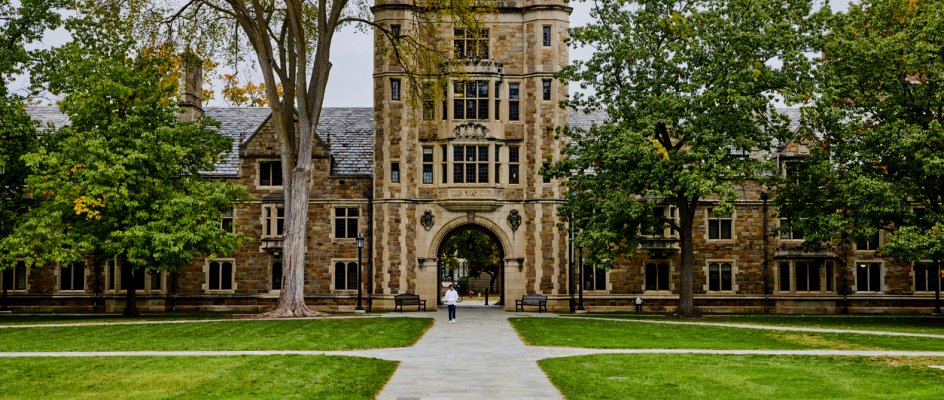
College campuses function like small cities. They operate long hours, support thousands of students and staff, and rely on many systems working together every day. Classrooms, laboratories, hostels, libraries, sports facilities, and utilities all need consistent care. When facility management works well, learning continues without interruption; when it doesn’t, even small issues can disrupt campus life.
Effective facility management today is no longer about fixing problems as they appear. It’s about planning ahead, staying organized, and using the right tools to keep everything running smoothly.
Below are ten practical tips colleges can follow to manage their facilities more effectively, especially as campuses grow more complex.
1. Move from Reactive Fixes to Preventive Maintenance
Many colleges still operate in “firefighting mode,” fixing equipment only after it fails. This approach leads to unexpected downtime, higher repair costs, and frustrated users.
Preventive maintenance changes that. Instead of waiting for an air conditioner to fail during exams or a water pump to stop working in a hostel, maintenance tasks are scheduled based on time, usage, or condition. Regular inspections, servicing, and minor repairs keep assets running longer and more reliably. This reduces breakdowns during critical times like exams or peak hostel occupancy.
A CMMS helps make preventive maintenance achievable by automatically scheduling tasks based on time or usage, instead of relying on memory or paper logs.
2. Maintain A Complete and Accurate Asset Register
It’s hard to manage what you can’t see. Colleges often have thousands of assets spread across large campuses, sometimes with incomplete or outdated records. Without a clear asset record, maintenance teams struggle to plan repairs, track performance, or justify replacements.
A centralized asset register includes location details, installation dates, maintenance history, manuals, and warranties. When stored digitally in a CMMS, this information is easy to access for technicians and managers alike.
This also helps new staff get up to speed quickly and reduce dependency on individual memory or handwritten notes.
 3. Enable Mobile Access for Maintenance Teams
Facility teams are rarely sitting at desks. They move between classrooms, hostels, rooftops, and utility rooms throughout the day. Paperwork orders and office-based systems slow them down.
Mobile CMMS access allows technicians to receive tasks, update progress, upload photos, and record readings directly from their phones. This keeps information accurate and up to date while work is happening.
For large campuses, mobile access improves response time and reduces administrative delays.
4. Simplify Maintenance Requests for Students and Staff
Students, faculty, and hostel residents are often the first to notice issues. If reporting problems is difficult, issues either go unreported or are shared informally, leading to delays.
A structured maintenance request system allows users to submit issues easily, even if they don’t have full system access. Requests can include descriptions, photos, and locations, making it easier for teams to respond correctly the first time.
A clear reporting channel or a CMMS also helps facility teams prioritize work based on urgency and impact, rather than chasing scattered emails or phone calls.
5. Standardize Tasks with Checklists and Workflows
Inconsistent processes lead to inconsistent results. One technician may follow best practices, while another may miss key steps, simply because there’s no standard process.
Checklists and task templates help standardize common maintenance activities. Whether it’s inspecting fire safety equipment, servicing lab ventilation, or checking electrical panels, clear steps ensure quality and consistency.
Within a CMMS, these workflows are easy to repeat, update, and scale across different buildings and teams.
6. Keep Detailed Maintenance History and Audit Trails
Colleges are often subject to safety inspections, accreditation reviews, and internal audits. Being able to show what maintenance was done, when it was done, and by whom is critical.
A CMMS automatically records maintenance history for each asset. This creates a reliable audit trail without extra paperwork. When issues recur, past records help identify patterns and root causes instead of repeating the same fixes.
7. Manage Spare Parts and Inventory Efficiently
Maintenance delays often happen because the right spare parts are not available when needed. At the same time, overstocking leads to wasted budgets and unused inventory.
Inventory tracking within a CMMS helps colleges understand what parts are used most often, where they are stored, and when to reorder. Linking parts usage to work orders provides better cost control and planning.
This approach reduces downtime and avoids unnecessary purchases.
8. Use Data to Guide Budgets and Upgrades
Facility management generates valuable data every day. Work orders, downtime, labor hours, and repair costs all tell a story about how campus assets are performing. Without a system, much of this information is lost or underused.
A CMMS turns daily maintenance activity into usable data. Over time, colleges can identify assets that cost more to maintain than replace, areas with frequent breakdowns, and opportunities to improve efficiency.
Data-driven planning helps justify budgets and ensures funds are spent where they have the greatest impact.
9. Keep Systems Simple and Focus on Adoption
Even the best systems fail if people don’t use them properly. Facility teams are often under pressure, and complex tools can become a burden instead of a help.
An intuitive CMMS supports quick adoption with minimal training. When technicians and managers find the system easy to use, data stays accurate, and processes stay consistent.
Simple, well-designed workflows free up time for actual maintenance work instead of administration.
10. Build Transparency and Accountability Across Departments
Facility management doesn’t operate in isolation. Academic departments, administration, hostels, and security all rely on maintenance services.
A shared CMMS creates transparency by showing what work is scheduled, in progress, or completed. Managers gain visibility into workload and performance, while teams understand priorities clearly.
This shared view reduces confusion, improves coordination, and builds accountability across departments.
Straightforward CMMS for Colleges & Universities
Colleges face increasing pressure to do more with limited resources. Effective facility management is no longer about reacting quickly; it’s about planning intelligently and using systems that support long-term stability.
By combining preventive maintenance practices with a modern, mobile-friendly CMMS like Maintainly, colleges can move away from spreadsheets, scattered records, and constant emergencies. Instead, they gain structure, visibility, and control over their facilities. Get a free 2-week Maintainly CMMS trial today and see how it can help your management.
Further Reading

Fixed Asset Management: A Complete Guide to Tracking Assets Across Their Lifecycle
Fixed asset management spans two worlds: the financial and the operational. This guide covers the full asset lifecycle, from acquisition and maintenance tracking to depreciation and disposal, and explains where CMMS fits in.
Read more →
Preventive vs Predictive Maintenance: Key Differences Explained
Preventive and predictive maintenance take very different approaches to keeping equipment running. This guide breaks down the key differences and helps you decide which strategy, or combination, fits your operation.
Read more →
Most User-Friendly CMMS Software in 2026-2027: Ease of Use Rankings
A hands-on comparison of leading CMMS platforms ranked by ease of use, onboarding speed, and UI simplicity, helping maintenance teams find software their whole team will actually adopt.
Read more →
Facility Management and CMMS
Let’s take an in-depth look at how a CMMS like Maintainly revolutionizes facility management and why it’s become indispensable for facility maintenance teams of all sizes.
Read more →
What Does CMMS Stand For? Acronym and Meaning
What the CMMS acronym stands for, what the software records once a team has one, and where the category stops.
Read more →
