Most User-Friendly CMMS Software in 2026-2027: Ease of Use Rankings
 By Eve

Most CMMS implementations fail for the same reason: the software is too hard to use. Technicians skip it. Supervisors revert to spreadsheets. Managers lose visibility. A system that nobody uses is worse than no system at all, because it creates a false sense of having the problem solved.
This guide compares the most user-friendly CMMS platforms available in 2025-2026, evaluating each on ease of onboarding, day-to-day usability, and how quickly a new team member can become productive. If you have struggled with complex CMMS tools in the past, this comparison is for you.
Why Ease of Use Is the Most Important CMMS Feature
Feature lists matter, but they are meaningless if your team will not open the app. Research consistently shows that low user adoption is the primary reason CMMS projects fail to deliver ROI. The platforms with the highest adoption rates share a common trait: they are designed for maintenance technicians, not software engineers.
A truly user-friendly CMMS means:
Technicians can complete work orders without formal training sessions
Managers can set up preventive maintenance schedules in hours, not weeks
New team members get productive quickly without hand-holding
The mobile experience is as capable as the desktop version
What Makes a CMMS Truly User-Friendly?
Before diving into platform comparisons, it helps to define what user-friendliness actually means for maintenance software. These are the five criteria used to evaluate each platform below:
Time to first work order: How quickly can a new user create and assign a work order from scratch?
Setup complexity: How much configuration is needed before the system is useful?
Mobile experience: Can technicians use the app on a phone or tablet without frustration?
Navigation clarity: Is it obvious where to find work orders, assets, and reports?
Request portal simplicity: Can non-technical staff submit maintenance requests without creating an account?
How Leading CMMS Platforms Compare on Ease of Use
Maintainly: Easiest Overall
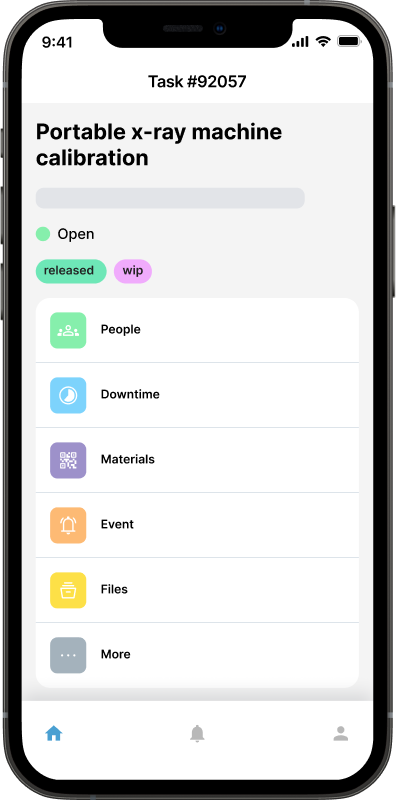
Maintainly was built with simplicity as a core design principle, not an afterthought. The interface is clean and uncluttered, with a navigation structure that makes sense to maintenance professionals rather than software developers. First-time users consistently report being able to submit their first work order within minutes of signing up, with no training required.
What sets Maintainly apart is its public request portal, which allows anyone (from office staff to building occupants) to submit maintenance requests without needing an account. This removes one of the biggest friction points in maintenance management: getting issues reported in the first place.
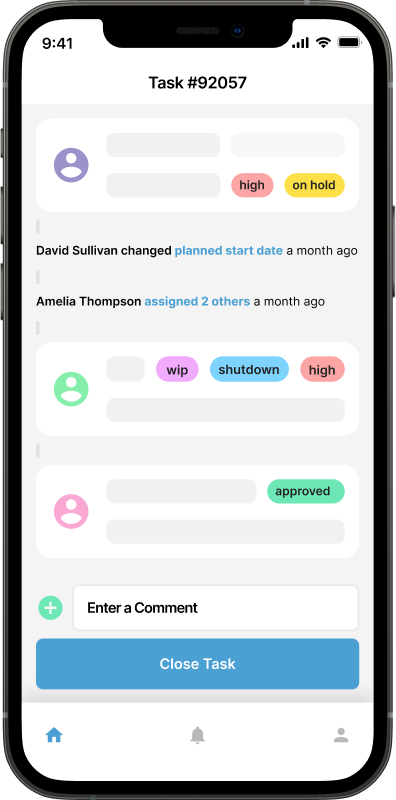
The mobile app mirrors the desktop experience, so technicians in the field do not need to learn two different interfaces. Asset management, work order creation, preventive maintenance scheduling, and parts tracking all follow the same intuitive logic throughout the platform. For small and medium businesses, Maintainly offers enterprise-grade features without the enterprise-grade complexity.
Best for: SMBs, hospitality, healthcare, and manufacturing teams that need fast adoption without a dedicated IT team.
MaintainX: Strong Mobile, Complex Pricing
MaintainX takes a mobile-first approach, which makes it attractive for teams whose technicians are always on the move. The work order interface is clean and the chat-style communication feature is genuinely useful for teams that need real-time coordination in the field.
However, the pricing structure adds complexity as teams grow, and some of the more advanced features, like detailed reporting and parts management, require navigating several menu levels to reach. For larger teams, the administrative interface is noticeably less intuitive than the technician-facing side.
Best for: Mobile-heavy teams where technicians are the primary users and managers handle minimal back-end configuration.
UpKeep: Simple to Start, Limited to Scale
UpKeep earns high marks for initial setup simplicity. Getting your first assets entered and first work orders created takes very little time. The interface deliberately avoids overwhelming users with options up front, which works well for very small teams just getting started.
The tradeoff is scalability. As your maintenance program grows more sophisticated (with complex preventive maintenance schedules, multi-location asset hierarchies, or detailed inventory tracking) the simplicity can become a limitation. Teams frequently outgrow it and face a disruptive migration to a more capable platform down the line.
Best for: Very small teams with straightforward maintenance needs who expect minimal growth in program complexity.
Fiix: Feature-Rich, Steeper Learning Curve
Fiix is a powerful CMMS with strong capabilities for manufacturing environments. It handles complex asset hierarchies, integrates with ERP systems, and provides detailed reporting. However, this power comes with a noticeable learning curve.
New users consistently report that Fiix takes longer to get productive with compared to simpler alternatives. The interface has improved over the years, but the depth of configuration options can overwhelm teams without a dedicated implementation resource. It is better suited to enterprises with IT support than to lean SMB maintenance teams.
Best for: Mid-to-large manufacturing operations with dedicated IT resources and complex integration requirements.
Limble CMMS: Configurable but Cluttered
Limble CMMS markets itself heavily on ease of use and backs this up with solid onboarding materials and responsive support. The work order system is straightforward, and the mobile app is functional. Where Limble can lose users is in the dashboard and reporting configuration: there are many options, and finding the right combination requires trial and error.
Limble is a reasonable choice for teams that have time to invest in initial setup and configuration, but it is less well-suited to teams that need to be operational immediately with minimal IT involvement.
Ease of use is only half of the decision, and price is the half that usually settles it. Every platform above has a side-by-side comparison page on this site, with each vendor's published figures and what their plans actually include.
Best for: Growing teams willing to invest setup time in exchange for a more customized reporting experience.
Two platforms sit outside this shortlist for opposite reasons. eMaint is the heavy end: long-established and highly configurable, but it publishes no price on either of its tiers and sells in prepaid annual commitments (emaint.com/pricing, September 2026), so an evaluation there starts with a sales process rather than a trial. SS-CMMS is the light end: a bare-bones tool whose interface reviewers on Capterra describe as outdated. Neither belongs in a ranking of the easiest platforms to adopt, but both come up on shortlists often enough to be worth reading about first.
How to Evaluate User-Friendliness Before You Commit
Every CMMS vendor will claim their software is easy to use. Here is how to cut through the marketing and find out for yourself during a free trial:
Run an unguided trial: Sign up, skip the onboarding call, and try to complete a work order on your own. If you get stuck, that is a red flag.
Hand it to a technician: Give the mobile app to someone who has never seen it and ask them to log a work order. Their reaction tells you more than any sales demo.
Count the clicks: How many steps does it take to create a preventive maintenance schedule? Fewer is almost always better.
Test the request portal: Can non-maintenance staff submit requests without creating an account? This single feature dramatically affects how many issues get reported.
Check the help documentation: If you cannot find an answer to a basic question in under two minutes, ongoing support costs will be high.
For more guidance on what to look for during implementation, see the top implementation tips for CMMS software to make sure your rollout succeeds rather than stalls.
The Hidden Cost of Choosing a Hard-to-Use CMMS
When teams struggle to adopt a CMMS, the costs go far beyond a wasted subscription. Poor adoption means:
Maintenance history gaps: technicians log work on paper instead of the system, destroying the audit trail
Preventive maintenance failures: PMs get missed because the system is not being checked regularly
Unreliable reporting: reports only reflect a fraction of actual maintenance activity, skewing decisions
Re-implementation costs: migrating to a different platform later is expensive in time, money, and data integrity
Choosing a user-friendly CMMS from the start is not a compromise on capability: it is the smarter strategic choice. The future of maintenance management software points clearly toward simpler, more intuitive interfaces, not more complex ones.
What's it all mean?
If you are evaluating CMMS software in 2026, prioritize ease of use alongside features. A system your team actually uses will always outperform a more powerful system that collects digital dust.
Among the platforms evaluated here, Maintainly consistently stands out as the most user-friendly option, particularly for small and medium-sized businesses that need comprehensive maintenance management without the complexity tax. The combination of an intuitive interface, a frictionless public request portal, and a mobile app that genuinely works makes it the standout choice for teams that need results quickly.
See how Maintainly fits your specific environment, whether that is food and beverage manufacturing, hospitality, or facilities management. A free plan is available so you can test the full platform with your real assets and workflows before committing.
Further Reading

For Small & Medium Business CMMS, Maintainly is the Top Choice for 2026
We review a handful of the top CMMS options you’ll see on shortlists in 2026 and explain why, for teams in the sweet spot of 5–50 regular users, Maintainly is the best choice: fast onboarding, low friction for adopters, and pricing that scales sensibly for small & mid-sized companies.
Read more →
Top 8 Implementation Tips for CMMS Software
In the fast-paced world of modern business, efficient maintenance management is essential to keep operations running smoothly. At the heart of effective maintenance management lies the powerful tool known as CMMS, or Computerized Maintenance Management System.
Read more →
Top Maintenance Software for Food & Beverage Manufacturing Operations (2026 Guide)
This guide compares top maintenance software options, with special focus on solutions like Maintainly that are well-suited to small and mid-size manufacturing teams seeking fast setup and easy adoption.
Read more →
Future Trends in Maintenance Management: What's Next for CMMS Software?
Maintenance management is changing faster than ever. With new technologies, smarter equipment, tighter budgets, and higher expectations for uptime, maintenance teams are rethinking how they work. And at the center of all this change is CMMS software: once a clunky, confusing tool, now becoming the backbone of modern operations.
Read more →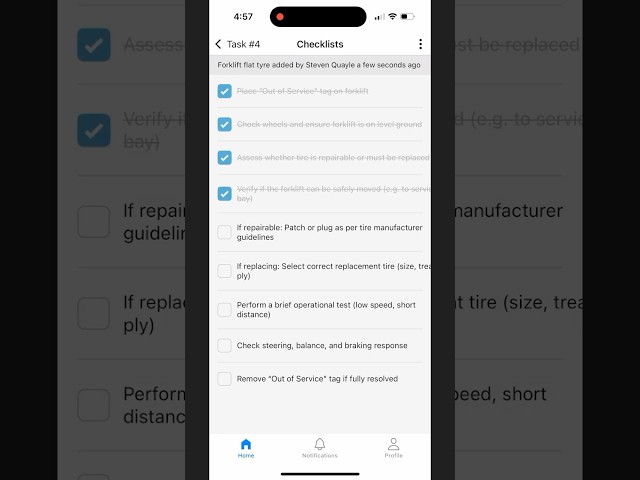
Video: Create Pre-Defined CMMS Checklists
Learn how to create pre-defined maintenance checklists and add them to tasks on both web and mobile, using Maintainly CMMS in this step-by-step tutorial.
Read more →