Why CMMS Adoption Fails and How to Ensure a Smooth Roll-Out
 By Eve
You’ve heard the promises: better preventive maintenance, fewer breakdowns, smooth work order flow, accurate asset history, and data you can finally trust.
But then reality hits.
Some companies spend months trying to set up a CMMS that was supposed to take a week. Others pay for features they never use. Sometimes the software is so complicated that teams quietly return to the spreadsheet-and-whiteboard method within six months.
The truth? CMMS adoption fails more often than most companies admit. Reports show that up to 70% of digital transformation projects underperform or stall, and CMMS rollouts sit squarely in that statistic.
But it doesn’t have to be this way.
More modern CMMS platforms like Maintainly prove that implementing maintenance software does not have to be painful or expensive. It is built for usability, simplicity, and fast onboarding.
Let’s unpack why CMMS adoption fails, what you can do to avoid common pitfalls, and how Maintainly helps!
Why CMMS Implementations Fail?
1. The Software Is Too Complicated
Traditional CMMS platforms were designed decades ago for massive industrial operations. They’re bulky, overwhelming, and require long training sessions.
Signs your CMMS is too complicated:
It takes hours just to create or close a work order.
Your team complains more than they use the system.
You need IT specialists to set it up.
You have to attend multiple training sessions just to understand the basics.
When software feels like work, teams avoid it. Avoidance turns into incomplete data, incorrect histories, and eventually system abandonment.
Where Is Maintainly Different?
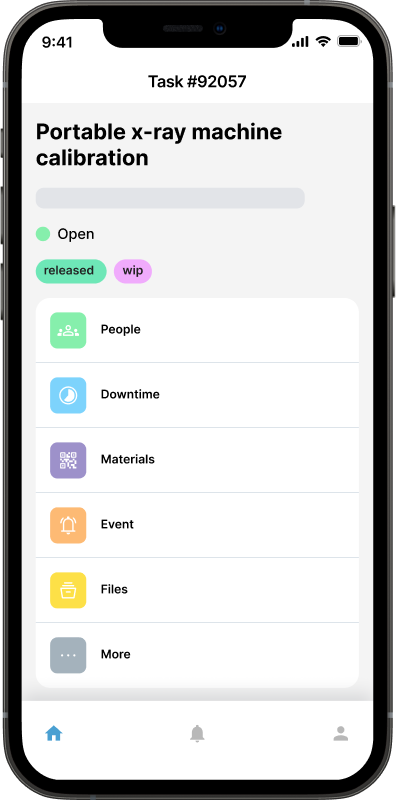
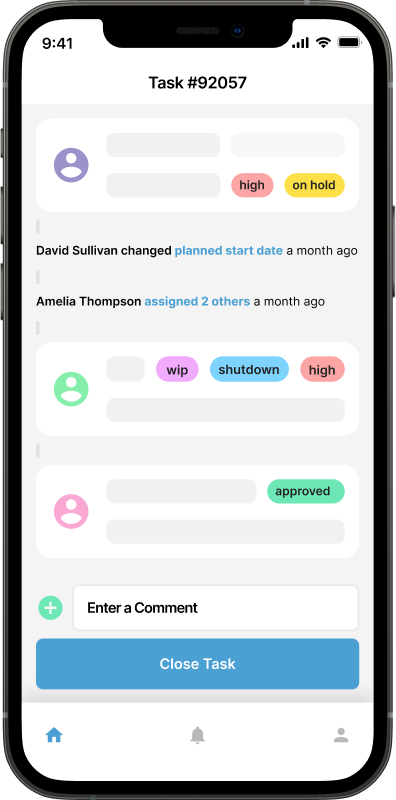
Maintainly is intentionally designed to be “refreshingly simple.” Most customers never need training. In fact, only 2% ask for it. The interface simply makes sense, even to beginners. The mobile app mirrors the same simplicity, making field use effortless. Moreover, work orders, PMs, and asset hierarchies take minutes to set up.
When your team truly likes using the CMMS, adoption comes naturally.
2. Implementation Takes Too Long

A big reason CMMS projects fail is that companies underestimate how long implementation will take with older systems. Some require:
Full-day onboarding workshops
Endless data mapping
Imported spreadsheets that don’t align
Consultant fees
Internal IT involvement
Weeks before you can even create your first work order
By the time the system is “ready,” team enthusiasm drops, momentum is lost, and leaders wonder if it was worth the investment.
Where Does Maintainly Help?
Maintainly’s setup is so friendly that you’re up and running in minutes, not months.
You can add assets with scannable QR labels, start preventive schedules instantly, import data without breaking anything, and onboard your entire team without training manuals.
Maintainly’s support team is included for free, helping guide any setup decisions, without a lengthy implementation project.
3. Teams Don’t Buy In
Even the best CMMS will fail if the people using it don’t believe in it. Common reasons teams resist CMMS adoption:
“It slows me down.”
“The old method worked fine.”
“It’s too technical.”
“Management won’t stick with it.”
This resistance shows up as inconsistent entries, incomplete work orders, or ignoring preventive tasks, leading to unreliable data and system failure.
How Does Maintainly Build Real User Adoption?
Maintainly understands this problem deeply. That’s why it works the way technicians think:
Tap, update, done with no messy screens.
QR-code scanning to create or access work orders instantly.
Push notifications for assignments and updates, like a modern app, not enterprise software.
When tools reduce effort rather than add to it, teams adopt them willingly.
4. Data Is Disorganized Or Never Gets Entered
Data issues are one of the biggest CMMS killers.
Common pitfalls:
Messy asset hierarchies
Duplicate equipment records
Missing preventive schedules
No naming system
No audit trail
No clear rules for asset updates
A CMMS is only as strong as the information entered into it. Incomplete data = broken insights = failed implementation.
How Does Maintainly Prevent This?
Maintainly structures data automatically and keeps it organized with flexible asset hierarchies, clean QR-based tagging, automatic service history tracking, audit trails for every change, and filters and roles that keep information accessible.
Because the system is simple, teams actually enter the data.
5. Maintenance Teams Are Forced To Pay For Features They Don’t Need
Some CMMS solutions offer massive enterprise bundles with 200-page manuals, dozens of modules, and features your team will never use.
This creates confusion, wasted money, slower adoption, and unnecessary training. You shouldn't have to buy an “enterprise” system just to schedule preventive maintenance or take maintenance requests.
Maintainly’s Approach
Maintainly is modular. Start with the basics like:
Work orders
Preventive maintenance
Mobile updates
QR-coded assets
Unlimited request users
Then add what you need later:
The inventory add-on that includes the more advanced inventory features, like orders, shipments, transfers and cycle counts.
Timesheets add-on that includes the more advanced time-tracking features, like non-work order time, overtime and allowances.
Enterprise-level reporting integrations
API access
This keeps your costs low and your experience streamlined.
6. Poor Or Expensive Support
A lack of ongoing support is a silent reason many CMMS projects fail.
When employees can’t get answers quickly, they lose trust and stop using the system.
Maintainly Fixes This Issue Completely
Support is included for all of your users, fast, in-app, and practical to your needs.
Need help setting up a PM? Need advice on structuring assets? Need assistance importing inventory?
It’s all included with your plan: no training fees, no onboarding costs, no hidden consultant bills.
7. CMMS Is Not Designed For Mobile Use
Technicians are on shop floors, rooftops, parking lots, hotel rooms, and manufacturing lines, not sitting at a desktop. If your CMMS isn’t truly mobile-friendly, adoption will collapse.
Maintainly Solves This Elegantly
Maintainly offers one of the best mobile CMMS apps in the industry, featuring:
QR-code scanning
Meter readings
Downtime tracking
Checklists
Push notifications
Offline-friendly access
Technicians can update work orders the moment they complete them, ensuring accurate, real-time maintenance history.
How to Ensure a Smooth CMMS Roll-Out?

Now that we know why CMMS adoption fails, here are clear steps to succeed, with or without Maintainly (though it helps a lot).
1. Start Small
Don’t try to digitize 10,000 assets in week one.
Start with:
1–3 critical assets
A basic preventive schedule
Simple corrective work orders
A small group of technicians
Once everyone is comfortable, scale up.
Maintainly makes this easy because setup is instant, and adding new equipment is simple.
2. Create A Clear Naming Convention
Standardizing asset names and work order types prevents confusion later.
Example:
Building → Floor → Room → Equipment
Or: Line 3 → Conveyor 2 → Motor B
Maintainly’s flexible hierarchy options make this straightforward.
3. Train Based On Real Workflows, Not Theory
Avoid classroom training sessions with slides.
Instead, train technicians by walking them through real scenarios inside Maintainly:
Scan this asset
Create a work order
Add a photo
Enter meter readings
Close the job
People learn faster by doing.
4. Build Trust Through Quick Wins
Show teams how the CMMS makes life easier:
Preventive tasks pop up automatically
No more hunting for manuals
No more guessing past service history
Photos reduce miscommunication
Real-time notifications keep everyone aligned
Maintainly’s design naturally supports quick wins. It feels instantly useful from day one.
5. Keep Improving, Not Complicating
A CMMS should evolve with your team. Start simple, add features gradually. Maintainly is ideal for this because:
It’s modular
It scales smoothly
You only pay for what you need
You can switch plans as your operations grow
You’re never locked into a bloated enterprise package.
Get Started with a Maintainly Free Trial Today
CMMS adoption doesn’t fail because teams are unwilling or incapable. It fails because most platforms weren’t built for real-world users who need simplicity, speed, mobility, and flexibility. Maintainly was built specifically to solve the problems that sink most CMMS projects:
Too hard to set up
Too confusing to use
Too expensive to scale
Too slow to deliver value
With Maintainly, you can start small, grow confidently, and see ROI fast. Try Maintainly free for 14 days, no credit card required.
Further Reading

How to Choose the Right CMMS for Your Business
Efficient maintenance management is crucial to keep operations running smoothly. That's where Computerized Maintenance Management Systems (CMMS) and Work Order Management Software come into play. These digital tools help streamline maintenance tasks, reduce downtime, and ultimately boost productivity.
Read more →
What Does CMMS Stand For? Acronym and Meaning
What the CMMS acronym stands for, what the software records once a team has one, and where the category stops.
Read more →
From Spreadsheets to Software: A Step-by-Step Guide to Migrating to CMMS
For years, spreadsheets have been the go-to tool for managing maintenance tasks. They’re familiar, flexible, and easy to set up. But as operations grow, spreadsheets start showing their limits. It could be missed work orders, outdated asset data, version confusion, or hours lost chasing information.
Read more →