From Spreadsheets to Software: A Step-by-Step Guide to Migrating to CMMS
 By Gui

For years, spreadsheets have been the go-to tool for managing maintenance tasks. They’re familiar, flexible, and easy to set up. But as operations grow, spreadsheets start showing their limits. It could be missed work orders, outdated asset data, version confusion, or hours lost chasing information.
That’s why you need CMMS software. But if you’re not ready to ditch your spreadsheets, this blog is for you. Here, we’ll tell you where to start and how you can do it step by step.
Why Spreadsheets Stop Working at Scale?
Spreadsheets work well when maintenance is simple and teams are small. But over time, common problems appear:
Data lives in multiple files with no single source of truth
Updates rely on manual entry, increasing errors
Tracking asset history becomes difficult
Preventive maintenance schedules are easy to miss
Reporting takes too long or lacks accuracy
As assets increase and compliance, downtime, and cost control become more critical, spreadsheets struggle to keep up. CMMS software is built specifically to solve these challenges.
What CMMS Does Differently?
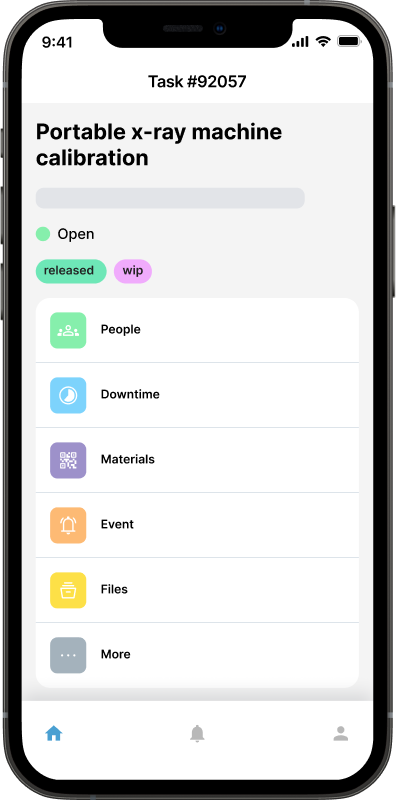
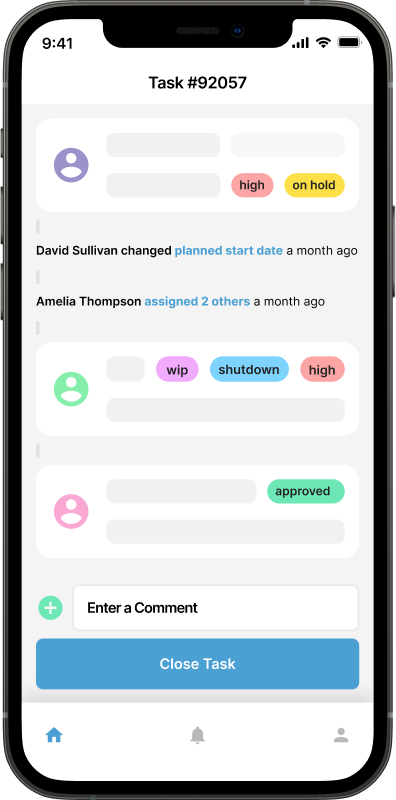
A CMMS centralizes all maintenance data in one system. Instead of chasing files, teams get real-time access to:
Work orders and task status
Asset details and maintenance history
Preventive maintenance schedules
Spare parts and inventory levels
Reports and performance metrics
The result is less chaos, fewer surprises, and more informed decisions.
Step By Step Guide to Migrating to CMMS
Step 1: Review Your Current Spreadsheet Setup

Before migrating, take time to understand what you’re working with today. Gather all spreadsheets used for maintenance, including asset lists, work order logs, preventive maintenance schedules, inventory or spare parts records, and vendor or warranty information.
Now, you just have to clean up duplicates, remove outdated entries, and fix obvious errors. This step is crucial because moving bad data into a CMMS only creates bigger problems later.
Ask yourself: What data is essential? What can be archived? What’s missing that a CMMS should track?
Step 2: Define Your Maintenance Goals
CMMS migration should solve real problems, not just replace a tool. Clearly define what success looks like for your team. Common goals include:
Reducing unplanned downtime
Gaining better visibility into asset health
Tracking maintenance costs accurately
Improving technician productivity
Knowing your goals helps you choose the right CMMS features and structure your data properly from the start.
Step 3: Choose the Right CMMS Software
Not all CMMS platforms are the same. Choose software that fits your operation. Not just today, but as you grow. Look for:
Easy-to-use interface
Mobile access for technicians
Customizable work order workflows
Reporting and analytics
Integration with other systems, if needed
A CMMS should simplify work, not add complexity. That’s why Maintainly offers a free trial to explore its features and capabilities. You just have to sign up and start using it today!
Step 4: Prepare and Structure Your Data
Now, it’s time to map spreadsheet data into the system. Start with core data:
Assets: name, location, model, serial number, criticality
Locations: facilities, floors, zones
Maintenance tasks: descriptions, frequencies, priorities
Spare parts: item names, quantities, reorder points
Step 5: Migrate Data in Phases
Avoid moving everything at once. A phased approach reduces risk and makes troubleshooting easier. Recommended order is locations and assets, preventive maintenance schedules, open work orders, inventory and spare parts, and historical data (if needed).
Test each phase before moving on. Confirm that assets appear correctly, schedules trigger properly, and work orders flow as expected.
Step 6: Set Up Preventive Maintenance First
One of the biggest advantages of CMMS like Maintainly is preventive maintenance automation. This should be a top priority during setup. Convert spreadsheet schedules into CMMS triggers based on time (daily, weekly, monthly), usage (hours, cycles, mileage), and condition-based rules, if supported.
Automated scheduling of Maintainly ensures tasks don’t get missed and reduces reliance on manual reminders.
Step 7: Train Your Team Early
Technology only works if people use it. Introduce the CMMS to your team early and explain why the change matters. Training should focus on:
How to create and complete work orders?
How to update asset information?
How to log time and parts used?
How does mobile access simplify daily tasks?
Keep training simple and role-based. Technicians don’t need every feature. They need just what helps them do their job faster and better. Here, Maintainly CMMS takes a complete win with its user-friendly interfaces and ease of use.
Step 8: Run Spreadsheets and CMMS Together (Briefly)
During the transition, it’s okay to run spreadsheets and CMMS in parallel for a short period. This builds confidence and helps catch issues before fully switching.
Set a clear cutoff date when spreadsheets will be retired. Without a deadline, teams tend to fall back on old habits.
Once confidence is built, make the CMMS the single source of truth.
Step 9: Monitor Performance and Adjust
After migration, review how the system is performing against your original goals.
Track metrics like work order completion rates, preventive maintenance compliance, downtime trends, and maintenance costs by asset.
Use reports to spot gaps and adjust workflows, schedules, or asset priorities. CMMS is not “set it and forget it” as it improves as you refine it.
Common Migration Mistakes to Avoid
Migrating from spreadsheets to a CMMS can bring big benefits, but only if it’s done thoughtfully. Many organizations struggle not because of the software itself, but because of avoidable mistakes during the transition. Understanding these pitfalls ahead of time can save months of frustration and wasted effort.
1. Migrating Messy or Outdated Data
One of the most common mistakes is treating CMMS migration like a simple data transfer. If spreadsheets contain duplicate assets, incomplete fields, outdated equipment, or incorrect maintenance history, moving that data into a CMMS will only make those issues harder to fix later.
Old spreadsheets often include assets that no longer exist, inconsistent naming (same asset with multiple names), missing locations or serial numbers, and inaccurate maintenance records.
Before migration, data should be reviewed, cleaned, and validated. Only active, relevant, and accurate information should be moved.
2. Skipping Team Training
A CMMS is only effective if people actually use it correctly. Skipping or rushing training often leads to resistance, errors, and low adoption.
Without proper training:
Technicians may avoid the system and fall back on verbal updates
Work orders may be left incomplete or closed incorrectly
Asset data may never get updated
Management won’t trust reports
Training doesn’t have to be complicated, but it does need to be practical. Ongoing training is just as important as initial onboarding, especially as new features or team members are added.
3. Overcomplicating Workflows Early
Many teams try to replicate every spreadsheet process inside the CMMS from day one. This often leads to overly complex workflows that confuse users and slow down adoption.
Examples can be: Too many approval steps, excessive mandatory fields, complex priority rules, and overloaded work order forms.
Early on, simplicity is key. Start with basic workflows that cover essential maintenance needs. Once the team is comfortable and consistent, workflows can be refined and expanded.
4. Trying to Customize Everything on Day One
Most CMMS platforms offer extensive customization options, which can be tempting to use immediately. However, heavy customization before understanding real usage patterns often leads to wasted time and rework.
Problems with early over-customization include:
Features that don’t match actual workflows
Confusing layouts for technicians
Increased setup and maintenance effort
Delayed go-live timelines
It’s better to start with standard configurations, observe how the team uses the system, and then customize based on real feedback.
5. Failing to Communicate the Purpose of the Change
When teams don’t understand why the shift from spreadsheets to CMMS is happening, resistance is almost guaranteed. If the change feels like extra work or monitoring, adoption will suffer.
Clear communication should explain:
The problems with the current system
How it helps technicians, not just management
What success looks like for everyone
Ditch the Spreadsheets Today
Moving from spreadsheets to CMMS is a major step toward modern maintenance management. It reduces manual work, improves visibility, and helps teams shift from reactive fixes to proactive planning.
The key is preparation, patience, and people-first implementation. When done right, CMMS transforms how maintenance work gets done. If your spreadsheets are holding you back, now is the time to move forward with confidence.
Try the free trial of Maintainly today!
Further Reading

Tips for Migrating Your Maintenance Tasks to Software
Switching software tools can feel like a lot. For many maintenance teams, the story starts the same way: a handful of spreadsheets, paperwork orders pinned to a board, and lots of walking around to check who’s doing what. It works until it doesn’t.
Read more →
Why It's Time to Ditch Spreadsheets for CMMS in Maintenance Management
Many maintenance teams still rely on spreadsheets to track tasks, manage assets, and schedule preventive maintenance. It's time to leave the spreadsheets behind and move into the future with a Computerized Maintenance Management System (CMMS).
Read more →
Why CMMS Adoption Fails and How to Ensure a Smooth Roll-Out
You’ve heard the promises: better preventive maintenance, fewer breakdowns, smooth work order flow, accurate asset history, and data you can finally trust. But how do you make the rollout a success?
Read more →
What Does CMMS Stand For? Acronym and Meaning
What the CMMS acronym stands for, what the software records once a team has one, and where the category stops.
Read more →