Safe, warm, and working: every room, every day.
Maintainly gives aged care maintenance teams a simple way to manage work orders, planned servicing and compliance records across residences, so call bells, hot water and hoists are looked after before they become an incident.


 Join
1,200+
maintenance teams in
110+
countries
Join
1,200+
maintenance teams in
110+
countries
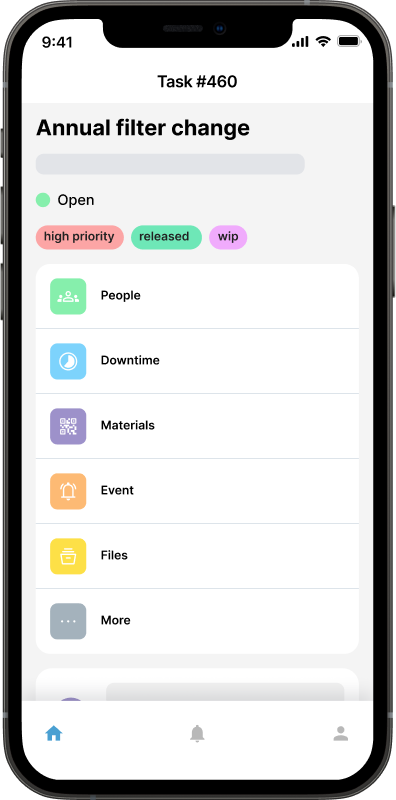

Aged care work order tools
In residential aged care the person who spots a problem is usually a carer mid-shift, not a maintenance officer. Maintainly makes it trivial for them to log it and get on with their round, while your maintenance team sees the whole queue in priority order.
- Let care and hospitality staff raise requests from any device, with no login to manage
- Prioritize resident-safety issues so a failed call bell never queues behind a sticking drawer
- Attach photos and room numbers so your officer walks in with the full picture
- Schedule noisy or disruptive work around meal times, activities and rest periods
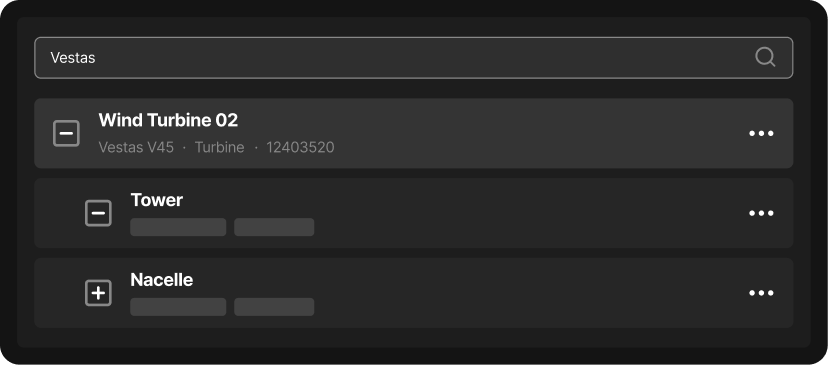



Every asset, its service record, and its next check
Aged care residences carry a long list of assets that matter to resident safety: hoists, beds, call systems, hot water mixing valves, fire doors. Maintainly keeps a full service record behind each one, ready when a quality assessor asks.
- Attach QR labels to hoists, beds and plant so records open at the point of use
- Track assets across residences, wings and independent living units in one system
- Keep a complete audit trail for accreditation and incident reviews
- Record temperature, water and safety checks against the asset rather than in a binder

Preventive maintenance that keeps residents safe
Much of what matters in aged care is scheduled work: thermostatic mixing valve checks, fire system tests, hoist inspections. Maintainly raises those automatically, with the checklist attached, so they happen on time and leave evidence behind.
- Build recurring schedules for statutory and manufacturer-required servicing
- Attach step-by-step checklists so every check is completed the same way
- See what is due, overdue and completed across every residence at a glance
- Evidence compliance with a documented history instead of reconstructing it later
The CMMS your maintenance officer, and your quality assessor, will thank you for.
Get started in minutes, not months
Aged care providers rarely have IT capacity to spare for a facilities rollout. Maintainly needs none: no server, no integration, no training program. Most maintenance officers are logging work orders within the hour.
Built for single homes and multi-site providers alike
Whether you look after one residence or a portfolio across a state, Maintainly scales to fit. Start with work orders and assets, and add modules as your reporting obligations grow, without changing systems.
Lowest total cost of ownership
Aged care budgets are tight and heavily scrutinized. Maintainly's pricing is transparent and modular: you pay for the features you use, with no implementation fee and no mandatory annual contract. Smaller providers can start on the free tier.
Dynamic, not a dinosaur
Most CMMS platforms were designed for factories and bolted onto care settings afterwards. Maintainly is mobile-first and simple enough that a maintenance officer picks it up without training, which is the difference between a system that is used and one that is not.
Free
- Mobile CMMS app
- Repeating work orders
- Checklists
- Meter readings
- Task templates
- Unlimited request users
- Asset QR labels
Small Business
Everything in Free, plus:
- Unlimited audit trail
- Unlimited work requests
- Unlimited checklists
- Work order approval
- Custom fields (assets & parts)
Enterprise
Everything in Small Business, plus:
- Unlimited preventative maintenance
- Unlimited reports
- API access
- Dedicated account manager
- Priority support
Inventory Add-on
- Spare part inventory management
- Inventory barcoding
- Cycle counts
- Purchase orders & stock transfers
- Stock shipments and backorders
Timesheets Add-on
- Auto-populate timesheets with work order data
- Capture non-work-order hours in timesheets
- Overtime, banked hours & allowances
- Timesheet approvals
Savvy CMMS
customers

Maintainly.
Frequently Asked Questions
What's the biggest maintenance-related compliance risk for a residential aged care facility?
Missed or undocumented maintenance on safety-critical systems is the biggest risk, since it directly endangers residents and creates gaps in your audit trail. Nurse call systems, emergency lighting, fire doors, and hot water systems (where legionella and scalding are real hazards) all need proof of regular servicing. If an inspector asks for maintenance records during an accreditation visit and a facility only has paper logs or scattered spreadsheets, gaps or missing signatures can turn a routine inspection into a compliance finding.
What kinds of assets does an aged care facility actually need to track in a maintenance system?
Aged care facilities typically track nurse call systems, emergency and exit lighting, HVAC units, hot water systems, wheelchair lifts, fire doors, fire suppression equipment, and backup generators, plus kitchen, laundry, and resident room fixtures. Each asset keeps its own maintenance history, and putting a QR code on higher-risk items like a nurse call unit or fire door lets a caregiver or inspector scan it during a walkthrough and see the service record instantly.
How should an aged care facility handle an urgent resident-safety issue versus routine scheduled maintenance in the same system?
Urgent resident-safety issues need a separate workflow from routine preventive maintenance so they never get buried in a backlog. In Maintainly, staff or caregivers can submit a request through a maintenance-request portal the moment something like a broken nurse call button or a cold radiator is spotted, and it's flagged and assigned immediately, while routine work like filter changes or generator tests runs on an automatic preventive schedule in the background.
Why don't paper logs or spreadsheets work well for aged care maintenance?
Paper logs and spreadsheets fail in aged care because they can't prove, on demand, that safety-critical maintenance was actually completed on time. A binder can be lost, a spreadsheet can be edited without a trace, and neither alerts anyone when a hot water system or fire door inspection is overdue. A small maintenance team juggling one or several facilities needs a system that timestamps every completed task automatically and produces an audit trail without extra paperwork.
How does maintenance software help aged care groups running multiple facilities with small, stretched maintenance teams?
It gives a small team, often just one to three people, one place to see maintenance status across every facility instead of switching between separate paper logs or spreadsheets per site. Work orders, asset histories, and PM schedules stay consistent no matter which facility a technician is working in, and if staff turn over, a new hire can see exactly what's due and how a job was handled previously instead of relying on someone's memory or handwritten notes.
What is a CMMS and why would an aged care facility need one instead of just tracking maintenance manually?
A CMMS (computerized maintenance management system) is software that schedules, tracks, and documents maintenance on a facility's assets, and aged care needs one because failures there risk residents' safety, not just budgets. Legacy, enterprise-grade CMMS platforms are built assuming a dedicated IT department to run the rollout, something a one-to-three-person facility team doesn't have. Maintainly logs every work order and inspection automatically, so that same small team gets audit-ready records without any IT support.
Is maintenance software realistic for a small aged care facilities team that isn't very technical, and what does it cost?
Yes, Maintainly is built for a team whose job is resident care, not software administration: setup is measured in minutes rather than the weeks or months an enterprise CMMS rollout consumes, and only about 2% of customers ever need formal training. There's a free plan to start on, and inventory and timesheets are separate add-ons, so a facility isn't buying an all-in-one suite just to get a work order log. Current plans and add-on details are on our Pricing page.

