Plant on site, serviced, and accounted for.
Maintainly gives construction and plant hire teams one place to track machinery servicing, log defects from site, and keep every excavator, generator and vehicle on a schedule, across as many sites as you are running.


 Join
1,200+
maintenance teams in
110+
countries
Join
1,200+
maintenance teams in
110+
countries


Construction work order tools
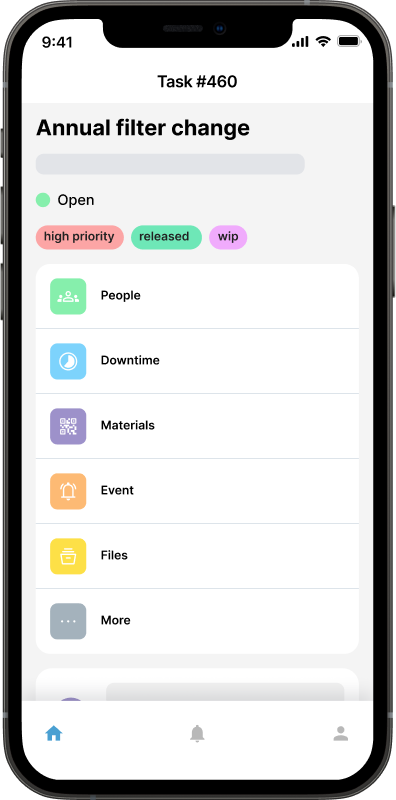
Plant defects get reported by whoever is operating the machine, on a site that may be an hour from your workshop. Maintainly captures the report on the spot so your plant manager sees it immediately, rather than finding out when the machine stops.
- Log defects and damage from site, with photos, straight from a phone
- Prioritize by what is holding up the schedule rather than by what came in first
- Assign jobs to your workshop or an external service agent with full history attached
- Track jobs across every active site from one queue




Every machine, wherever it is, with its full history
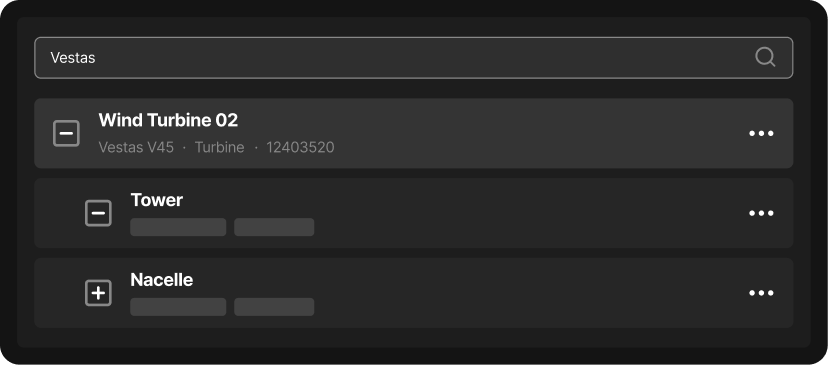
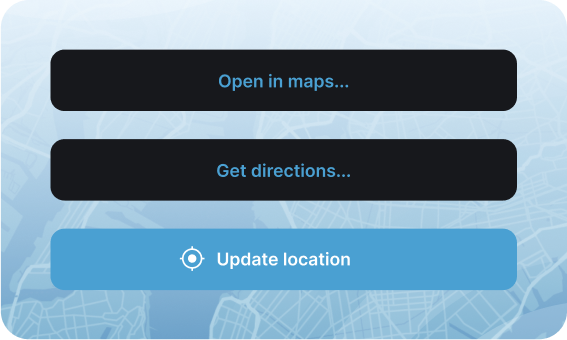
Plant moves between sites, and the paperwork rarely moves with it. Maintainly keeps the service history, inspection records and current location behind each machine, so you always know what you own, where it is, and when it was last serviced.
- Attach QR labels so an operator can pull up a machine record on site
- Track plant across projects, yards and hire-out arrangements in one system
- Record engine hours and meter readings against each machine over time
- Keep a complete service and inspection history for compliance and resale

Preventive maintenance that keeps the schedule moving
An unplanned plant failure does not just cost a repair: it stops a crew and pushes the schedule. Maintainly raises servicing automatically by hours or date, so machines come off the job for a scheduled service rather than a breakdown.
- Schedule servicing by engine hours, meter readings or calendar interval
- Attach pre-start and inspection checklists so records are captured consistently
- See what is due across the fleet before it becomes a site problem
- Evidence statutory inspections with a documented history rather than paper files
The CMMS your plant manager, and your site supervisors, will thank you for.
Get started in minutes, not months
Construction businesses do not have spare capacity for a software implementation. Maintainly needs no server, no integration and no consultant: most plant teams are logging jobs within the hour of signing up.
Built for small contractors and large builders alike
Whether you run a handful of machines or a full plant division across multiple projects, Maintainly scales to fit. Start with plant and work orders, and add inventory and timesheets as the operation grows.
Lowest total cost of ownership
Plant management software is usually priced for enterprise fleets. Maintainly's pricing is transparent and modular: you pay for what you use, with no implementation fee and no mandatory annual contract. Smaller contractors can start on the free tier.
Dynamic, not a dinosaur
Most plant maintenance systems assume someone in an office doing data entry. Maintainly is mobile-first and fast enough to use on site between jobs, which is what gets defects reported at the time rather than a week later.
Free
- Mobile CMMS app
- Repeating work orders
- Checklists
- Meter readings
- Task templates
- Unlimited request users
- Asset QR labels
Small Business
Everything in Free, plus:
- Unlimited audit trail
- Unlimited work requests
- Unlimited checklists
- Work order approval
- Custom fields (assets & parts)
Enterprise
Everything in Small Business, plus:
- Unlimited preventative maintenance
- Unlimited reports
- API access
- Dedicated account manager
- Priority support
Inventory Add-on
- Spare part inventory management
- Inventory barcoding
- Cycle counts
- Purchase orders & stock transfers
- Stock shipments and backorders
Timesheets Add-on
- Auto-populate timesheets with work order data
- Capture non-work-order hours in timesheets
- Overtime, banked hours & allowances
- Timesheet approvals
Savvy CMMS
customers

Maintainly.
Frequently Asked Questions
Why is tracking maintenance harder for construction equipment than for equipment in a fixed facility?
Because construction equipment moves between active job sites instead of staying in one building, so maintenance history, location, and inspection status have to travel with the asset itself. A generator might be at Site A this week and Site B next month, and scanning the QR code on the unit pulls up its full service history on the spot, instead of leaving whoever receives it guessing.
What kinds of assets does a construction company typically track in a CMMS?
Heavy equipment like excavators, cranes, and compressors, plus generators, site trailers, scaffolding, and power tools. Vehicles that move crews and materials between sites are usually tracked too, and most firms track owned and rented gear side by side with a QR tag on each unit, so nothing gets lost or returned late when a job wraps or a rental is due back.
How do construction crews typically handle pre-use safety checks and inspections with a CMMS?
A crew member scans the QR code on the equipment (a crane, an excavator) completes the pre-use checklist on their phone, and the result logs instantly to that asset's record. That builds a timestamped audit trail that holds up far better in a safety review than a paper sheet that can be lost or backdated, and anything unusual can be flagged from the same screen.
Why do spreadsheets and paper inspection sheets typically break down for construction maintenance?
They break down because they can't follow equipment between job sites or update in real time. A paper inspection sheet sits in a site trailer while the equipment it describes gets trucked to another job, and a spreadsheet one office admin maintains quickly falls out of sync with what site supervisors and traveling mechanics are doing. A mobile CMMS keeps the record attached to the asset, reachable from any site.
How does equipment downtime on a construction site actually affect project cost?
Downtime delays the project timeline directly, and delays can trigger contractual penalties tied to completion dates. Because crews and other trades are often scheduled around specific equipment being available, an idle crane or broken compressor doesn't just cost repair money: it stalls everyone downstream. Tracking usage and scheduling preventive maintenance around it helps catch failures before they stop a job.
What is a CMMS, and why would a construction company need one instead of just tracking equipment manually?
A CMMS is software that schedules maintenance, logs inspections, and keeps a full service history for every piece of equipment a company owns or rents. Construction firms run lean office staff against a large, constantly moving field crew, so they need something a site supervisor can get running today, not a legacy system that demands dedicated IT support or a drawn-out rollout across shifting job sites.
How much does maintenance software cost for a construction company, and how long does it take site crews to actually start using it?
Crews are usually working in it the same day: setup takes minutes, not the months a traditional CMMS rollout takes, and only about 2% of customers need formal training, worth knowing when site staff and subcontractors change between jobs. Maintainly has a free plan, and inventory and timesheets are optional add-ons rather than parts of one heavy enterprise suite you buy whole. The Pricing page lists what's in each plan.

