What Does CMMS Stand For? Acronym and Meaning
 By Patrick O'Meara

CMMS stands for computerized maintenance management system: the record of every asset a maintenance team looks after and every job done on it.
This article is about the name and what sits behind it. For the category as a whole, including how a CMMS differs from EAM and what to look for when buying one, start at CMMS software.
CMMS 101
CMMS stands for Computerized Maintenance Management System.
At the core of any CMMS is the asset hierarchy (often called the asset register). The asset hierarchy is essentially any valuable asset for which the asset history should be known and accessible, and on which work is to be performed and tracked.
Asset hierarchy serves as the backbone of a Computerized Maintenance Management System (CMMS) by providing a structured framework that organizes and categorizes assets within an organization. It establishes a clear and hierarchical relationship between equipment, systems, and components, reflecting the physical or logical connections among them. This hierarchical structure is fundamental for effective maintenance management, as it facilitates systematic organization, easy navigation, and streamlined data management. Asset hierarchy allows maintenance teams to quickly locate and assess specific assets, simplifies the assignment of work orders, and ensures accurate record-keeping of maintenance activities. By serving as the foundation for data organization and relationships, asset hierarchy enhances the efficiency, reliability, and overall functionality of the CMMS, enabling organizations to optimize their maintenance processes and make informed decisions about asset performance and lifecycle management.
The asset component is essentially what differentiates CMMS from more basic field service or work order software used by remote technicians that perform one-off jobs.
Work Orders

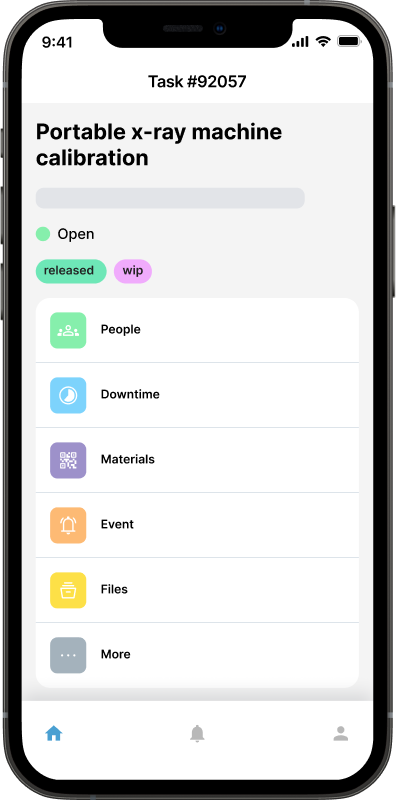
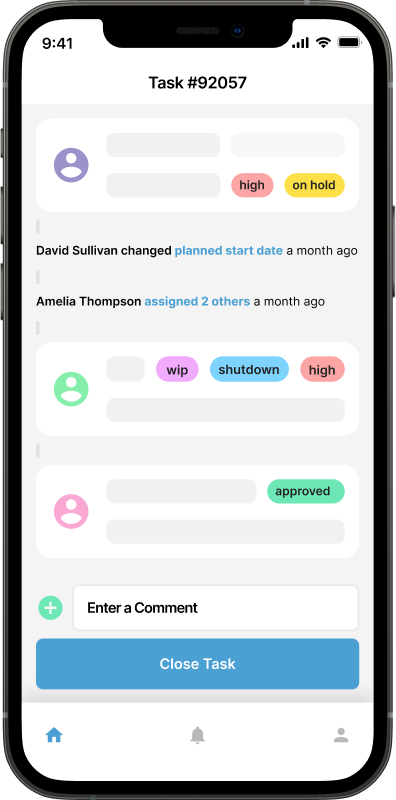
Work orders are essential tools within the realm of maintenance management, serving as a structured mechanism to initiate, track, and manage various maintenance tasks and activities. These documents play a crucial role in detailing the specifics of a maintenance request or job, providing a roadmap for maintenance teams to follow. Work orders typically include information such as the nature of the task, detailed instructions, the required resources, and any safety considerations. By centralizing this information in a standardized format, work orders streamline communication and coordination within maintenance teams, ensuring that everyone involved has a clear understanding of the tasks at hand. Furthermore, work orders contribute to efficient resource allocation, helping organizations prioritize and schedule maintenance activities based on their urgency and impact on operational continuity.
In addition to facilitating day-to-day maintenance operations, work orders are instrumental in establishing a comprehensive maintenance history for each asset. As work orders are completed, they become part of the asset's record, documenting the maintenance performed, parts replaced, and any issues addressed. This historical data becomes invaluable for preventive maintenance planning, trend analysis, and decision-making regarding asset lifespan. Ultimately, the use of work orders in maintenance management promotes organizational efficiency, transparency, and the long-term health of assets by providing a structured framework for planning, executing, and documenting maintenance activities.
Preventive maintenance
CMMS plays a crucial role in managing preventive maintenance (PM), also known as scheduled maintenance, by leveraging asset tracking functionalities. With assets being meticulously tracked within the CMMS, maintenance managers can efficiently plan and execute preventive maintenance tasks based on predefined intervals or criteria tailored to each asset. These intervals can be time-based, such as regular inspections or servicing conducted on a monthly, quarterly, or annual basis, ensuring that assets receive the necessary attention at appropriate intervals to maintain optimal performance and prevent unplanned downtime.
Additionally, CMMS enables meter-based preventive maintenance, where maintenance tasks are triggered based on meter readings or asset usage metrics. For example, a fleet of vehicles may undergo maintenance based on mileage readings, while production machinery may require servicing after a certain number of operating hours. By integrating meter readings into the CMMS, organizations can automate the scheduling of preventive maintenance tasks, ensuring that assets are serviced precisely when needed to prevent wear and tear, reduce the risk of failures, and extend asset lifespan. Furthermore, CMMS allows organizations to customize preventive maintenance schedules and criteria based on asset-specific requirements, industry best practices, and regulatory standards, providing flexibility and adaptability to evolving maintenance needs and ensuring compliance with maintenance protocols.
Reactive maintenance
Reactive maintenance, commonly known as "breakdown maintenance" or "run-to-failure," represents a maintenance strategy characterized by the performance of repairs and corrective actions on equipment or assets only after they have failed or experienced a malfunction. In this approach, maintenance activities are reactive in nature, initiated in response to unexpected breakdowns or disruptions in equipment performance. Unlike preventive maintenance strategies that prioritize proactive measures to address potential issues before they escalate, reactive maintenance relies on addressing problems as they arise, often resulting in unplanned downtime, costly repairs, and productivity losses.

One of the key characteristics of reactive maintenance is its inherent unpredictability and lack of pre-scheduled maintenance plans. Maintenance tasks are triggered by equipment failures or malfunctions, leading to ad-hoc repairs and corrective actions aimed at restoring equipment functionality. This reactive approach can result in inefficiencies and resource wastage as maintenance personnel must mobilize quickly to address unexpected breakdowns, often requiring additional time and resources to diagnose and resolve the underlying issues. Moreover, reactive maintenance can lead to increased safety risks for personnel and equipment, as failure-related incidents may occur unexpectedly without warning, posing hazards to both workers and surrounding assets.
Despite its drawbacks, reactive maintenance may be employed in certain situations where the cost of implementing preventive maintenance measures outweighs the potential benefits. Organizations with limited resources or those managing non-critical assets with low failure consequences may opt for a reactive maintenance approach to minimize upfront costs and maximize asset utilization. However, reliance on reactive maintenance alone can result in higher long-term costs, decreased equipment reliability, and reduced operational efficiency. Therefore, organizations must carefully evaluate the trade-offs between proactive and reactive maintenance strategies to optimize asset performance, minimize downtime, and ensure cost-effectiveness in maintenance operations.
Inventory management
Most CMMS will also offer the ability to manage inventory. While CMMS does not strictly service inventory management, a natural extension exists given that spare parts and consumables are being consumed via work orders and they are an important factor in determining the cost of maintenance and of ownership of any asset over its lifetime.
Inventory components will usually include the ability to create a full spare parts list, stock locations or warehouses, as well as stock transfers and spare part purchasing to those locations. Barcoding systems will help identify parts, and well as assist with stocktaking and booking parts out.
Time tracking
CMMS will also capture work time. That is, the time technicians, or other user types for that matter, spend fixing issues or working on scheduled maintenance. Again, this is important data when considering the total cost of ownership of any asset.
More advanced CMMS or work order software will extend the capture of work time to include a timesheet facility and may even go further to the point of allowing you to integrate with payroll software and therefore create a seamless solution to avoid double entry of data for users.
Maintenance Analytics
A quality CMMS will provide ample reporting options to analyze several key metrics that are indicators of asset health, namely:
Downtime Tracking: CMMS records downtime incidents, helping organizations analyze the frequency and causes of equipment failures.
Equipment Reliability: Historical data on asset performance allows organizations to assess the reliability and availability of critical equipment.
Mean Time Between Failures (MTBF) and Mean Time to Repair (MTTR): CMMS calculates and presents key metrics like MTBF and MTTR, providing insights into asset reliability and maintenance efficiency.
Completion Rates: CMMS tracks the completion rates of work orders, enabling organizations to assess the efficiency of their maintenance teams.
Response Times: Analysis of response times helps identify areas for improvement in addressing critical maintenance issues promptly.
Maintenance Software and CMMS Are Not the Same Thing
"Maintenance software" is a category. It covers anything that helps a team manage maintenance work, from a shared spreadsheet template to a mobile app for logging faults to a full platform. A CMMS is one specific kind of maintenance software: a system built around an asset register, where every job, part, cost and hour attaches to the thing it was spent on.
That distinction is not academic, because it decides what questions the software can answer:
General maintenance software can usually tell you what work is outstanding and who it is assigned to.
A CMMS can also tell you what this pump has cost over four years, how many times it has failed, which failure mode recurs, and whether replacing it is now cheaper than maintaining it.
If your maintenance problem is "we lose track of jobs", general maintenance software solves it. If your problem is "we cannot justify the budget because we have no history", you need the asset register, which means a CMMS.
How a CMMS Differs from Adjacent Software
Four other categories overlap with CMMS enough to be confused with it, and buying the wrong one is an expensive way to learn the difference.
EAM (enterprise asset management) is a superset. It covers the whole asset lifecycle including procurement, capital planning, depreciation and disposal, usually across many sites, and it is priced and implemented accordingly. A CMMS is the maintenance execution part of that scope.
Field service management is built for work at customer sites: scheduling technicians across a territory, routing, quoting and invoicing. It is organized around jobs and customers rather than around your own asset register, which is exactly the piece a maintenance team needs.
ERP holds finance, procurement and inventory for the whole business. Its maintenance module, where one exists, is usually a long way behind a dedicated CMMS on the things technicians touch daily, and it rarely works on a phone in a plant room.
IT helpdesk and ticketing tools handle requests and assignment well, and some teams start there because it is what the company already owns. They have no concept of an asset with a service history, a meter reading or a preventive schedule, so the history you accumulate is a pile of closed tickets rather than an asset record.
CMMS and Fixed Asset Management
Finance teams track the same physical items for a different reason. Fixed asset management, sometimes written as property, plant and equipment or PP&E, covers acquisition, tagging, depreciation, revaluation, regulatory reporting and disposal. Its question is what the asset is worth and what it costs the balance sheet. A CMMS asks what condition the asset is in and what it costs to keep running.
The two overlap in useful ways once both exist:
Identification. A single tagging scheme, whether QR codes, barcodes or RFID, means the finance register and the maintenance register describe the same physical object rather than two lists that have to be reconciled by hand.
Repair or replace. Depreciation tells you the book value. Maintenance history tells you the running cost and the failure rate. The replacement decision needs both, and it is a much shorter conversation when the numbers come from one asset identifier.
Disposal. When an asset is retired, the maintenance history is the evidence of why, and the record of what was done to it last is often needed for warranty, environmental or data security reasons.
A CMMS is not an accounting system and should not be asked to calculate depreciation. What it should do is make the maintenance half of the asset record complete enough that the accounting half can be trusted.
Who Uses a CMMS
Any organization responsible for physical things that break. In practice the heaviest users are:
Manufacturing, where an unplanned stop has a directly measurable cost per hour.
Healthcare and aged care, where clinical equipment has to be available and inspections have to be evidenced.
Facilities and property management, where one team looks after many buildings and the request volume comes from occupants rather than from the team.
Hospitality, where a fault becomes a guest review before it becomes a work order.
Education, churches and community organizations, where the building is the asset and the team is small or part time.
Fleet and transportation, where the schedule is driven by meter readings rather than by the calendar.
Energy and utilities, where safety and regulatory obligations sit on top of the reliability problem.
Signs Your Organization Needs One
The decision usually announces itself. If several of these are true, a spreadsheet has already stopped being the cheaper option:
Nobody can say what maintenance was last done on a given asset without asking a specific person.
Requests arrive by text message, corridor conversation and email, and some of them never reach a list.
Preventive tasks are the first thing dropped in a busy week, and nobody notices which ones were dropped.
The same part is either always out of stock or bought twice.
Budget conversations are opinion against opinion, because there is no cost history to point at.
An audit or an insurance renewal has asked for maintenance records you had to reconstruct.
What to Look For When Choosing a CMMS
Feature lists all look alike. These are the things that decide whether the system is still in use a year later:
Work order management that lets anyone raise a request, including staff without a login, and that carries photos, notes and parts used through to completion.
Preventive scheduling that triggers on time, on usage and on meter readings, not just on a fixed calendar interval.
A real asset register with hierarchies, service history, documents and warranty details attached to each item.
Mobile access that works in the field, including where the signal does not reach. Technicians who have to walk back to a desk to close a job will close jobs in batches from memory, and the data will show it.
Parts and inventory, at minimum recording what was consumed on a job, so asset cost is not systematically understated.
Reporting you can act on: downtime, mean time between failures, mean time to repair, completion rates, response times, cost by asset.
Compliance evidence: time stamped records, technician logs and audit trails that can be exported.
Ease of use, which is not a soft criterion. The system is used by people who did not choose it, often on a phone, often with dirty hands. If it takes training to close a work order, it will not be used.
A pricing model that matches your shape, so you are not paying for modules you will never open. Check the current figures on the pricing page rather than any number quoted in an article.
What Implementation Actually Involves
A CMMS rollout is mostly data work, and teams that plan for that finish. Teams that expect a software install do not.
Build the asset register. Walk the site and list what you maintain, with location, make, model and serial. This is the longest phase and the one that determines whether anything later works. Start with the assets that matter rather than trying to be complete on day one.
Configure. Users and roles, request forms, priorities, and the preventive schedules for the critical assets. Import parts if you hold spares.
Train the team. Short and practical: raise a request, accept a job, close it with what you did. Anything longer than that is a signal the product is wrong.
Go live and adjust. Run everything through the system for a full cycle, then review. Intervals will be wrong, some schedules will be too tight, and a few assets will turn out to matter more than you thought.
Compliance and Audit Readiness
For regulated work, the maintenance record is the evidence. A CMMS earns a lot of its cost back here, because time stamped work orders, technician sign offs, inspection checklists and asset histories are produced as a by product of doing the work rather than assembled the week before an audit.
The practical test is whether you could answer, without warning, when a given piece of equipment was last inspected, by whom, what they found, and what was done about it. If that takes a filing cabinet and an afternoon, the system is not doing its job.
Further Reading

These Key CMMS Metrics are Indicators of Asset Health
A Computerized Maintenance Management System (CMMS) plays a pivotal role in managing analytics for maintenance operations, helping organizations make data-driven decisions to enhance efficiency, reduce downtime, and optimize asset performance.
Read more →
Benefits of CMMS
CMMS will aid and inform technicians out in the field, as well as decision makers, on maintenance work that has been done, will be done soon, or is planned to be done in the future. Broadly speaking, the benefits of CMMS can be broken down into three categories: management; visibility; and cost control.
Read more →
Maintenance Management Software for SMB's: Five Key Considerations
When considering a maintenance management system for smaller businesses, there are several important aspects to look for. We explore five important things for SMB's to look for when assessing maintenance management software.
Read more →
Preventive vs Reactive Maintenance: A Complete Guide
Preventive, corrective, reactive, condition-based and predictive maintenance explained, which assets deserve a schedule, and how a CMMS makes the shift from firefighting to planned work.
Read more →
Work Order Management: A Complete Guide
What a work order is, how the lifecycle works, how tracking and automation change a maintenance team, what to look for in work order software, and what changes by industry.
Read more →