Equipment Maintenance Software: A Practical Buyer's Guide
 By Gui
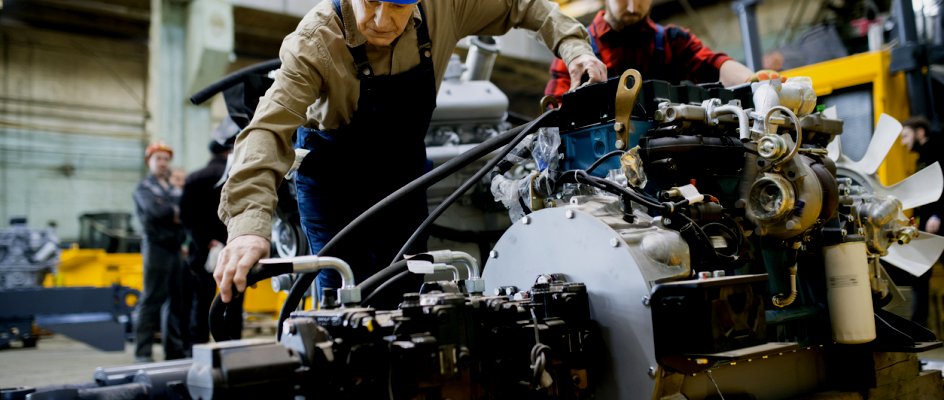
If you manage physical equipment (whether CNC machines on a factory floor, delivery vehicles, or HVAC units in a commercial building) reactive maintenance is an expensive strategy. Equipment maintenance software gives teams the tools to stay ahead of failures, track asset history, and coordinate work across locations and shifts.
What Is Equipment Maintenance Software?
Equipment maintenance software is a digital system for tracking, scheduling, and managing maintenance tasks tied to physical assets. Unlike a spreadsheet, it is built around the idea that assets have service histories, scheduled intervals, and components that wear out predictably.
The core purpose is to move teams from reactive to preventive maintenance, catching problems before they become breakdowns. When a compressor has not been serviced in six months, the software flags it. When a part reaches its replacement interval, a work order is created automatically.
Equipment Maintenance Software vs. Spreadsheets
Many teams start with spreadsheets for maintenance tracking. Spreadsheets work when you have five assets and one technician, but they break down quickly at scale. There is no audit trail, no automated scheduling, no way to assign work to the right person and track completion in real time.
Equipment maintenance software adds automatic PM scheduling, work order assignment and tracking, a full asset service history, parts inventory tied to specific assets, and reporting on downtime and costs. The terms are sometimes used interchangeably with CMMS: both categories of software address the same core problems.
Key Features to Look For
Asset Register and Service History
Every piece of equipment should have its own record: make, model, serial number, location, purchase date, and a complete log of every maintenance task ever performed. This history tells you when a machine is becoming unreliable and supports repair-or-replace decisions. Without it, every technician who touches the equipment starts from scratch.
Preventive Maintenance Scheduling
The software should let you set recurring tasks based on time intervals (every 90 days), meter readings (every 5,000 operating hours), or conditions (when a sensor reading exceeds a threshold). Good scheduling means work orders appear automatically, not because someone remembered to create them.
Work Order Management
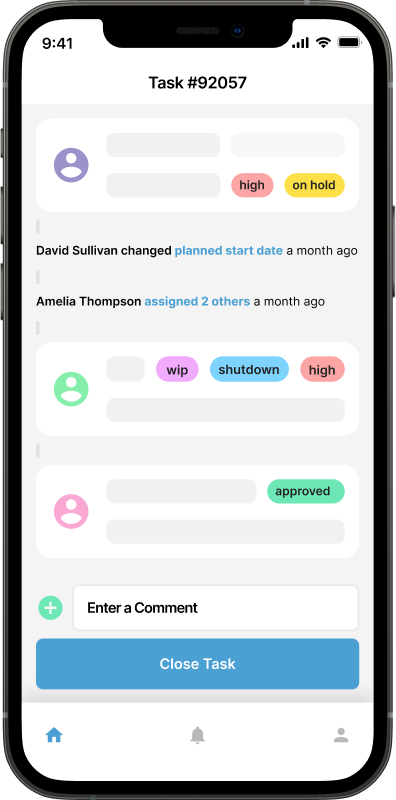
Work orders are the unit of work in any maintenance operation. Your software should let you create, assign, prioritize, and close work orders, with fields for labor time, parts used, and technician notes. Closing a work order should update the asset history automatically, so the record stays current without extra data entry.
Mobile Access
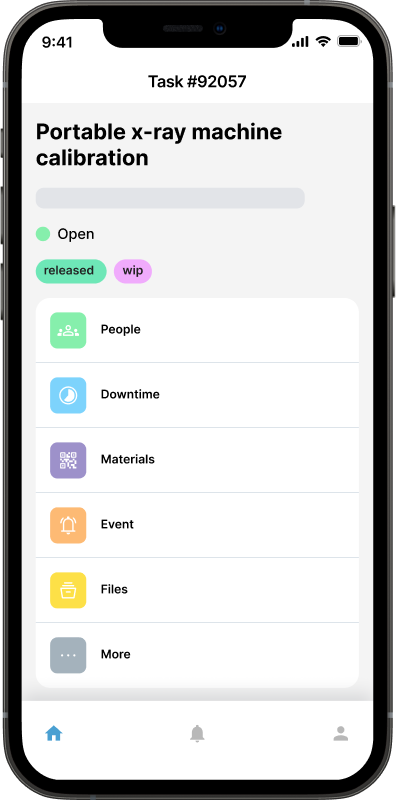
Technicians work on the floor or in the field, not at a desk. A mobile app (or at minimum a responsive web interface) lets them scan QR codes on equipment, pull up service history on the spot, and log work as it happens rather than reconstructing it later. Mobile CMMS software tracks equipment in real time, eliminating the gap between what happens in the field and what the system records.
Parts and Inventory Tracking
Maintenance is impossible without parts. Equipment maintenance software should track spare parts inventory, alert you when stock runs low, and let you tie parts consumption to specific work orders. This closes the loop between what was done and what it cost, and helps you plan purchasing before stock runs out during a critical repair.
Reporting and KPIs
Look for reporting on mean time between failures (MTBF), planned versus unplanned maintenance ratios, asset downtime, and labor hours per asset. These metrics tell you which assets are consuming the most resources and whether your maintenance program is improving over time.
Real-World Use Cases
Manufacturing
In a manufacturing environment, equipment failures mean production stoppages. A press that goes down mid-shift can idle an entire line. Equipment maintenance software helps manufacturers schedule preventive maintenance during planned downtime windows, track OEM service intervals, and maintain compliance records for regulatory audits. A food processing facility might use the software to ensure all conveyor systems are inspected on a fixed cycle, with checklists that technicians complete step by step, and a complete record of who did what and when.
Transportation and Fleet
Vehicle fleets have their own maintenance demands: oil changes, tyre rotations, brake inspections, and compliance with roadworthiness requirements. Preventive maintenance software for large vehicle fleets tracks mileage alongside calendar intervals, so service is scheduled based on actual usage rather than estimates, reducing both over-servicing and costly breakdowns from missed maintenance.
 Agriculture and Seasonal Equipment
Farming equipment (tractors, harvesters, irrigation systems) sits idle for extended periods, then runs hard under demanding conditions. Agricultural maintenance software helps teams schedule pre-season inspections and track service intervals across equipment that may span multiple sites or operators.
How to Choose the Right Solution
Not every team needs enterprise software. Here is a practical framework for evaluating your options:
Team size: A small team of one to five technicians needs something simple to configure and easy to use daily. A larger team needs role-based access, multi-location support, and reporting dashboards.
Asset count: Under 50 assets, almost any tool will work. Over 500, you need a system that handles bulk imports and hierarchical asset structures.
Mobility requirements: If your technicians work in the field or on a shop floor, mobile access is essential, not optional.
Integration needs: Check early whether the software connects with your ERP, accounting system, or IoT sensors. Integration gaps are expensive to fix after a full deployment.
For a deeper look at the evaluation process, how to choose the best maintenance tracking software walks through the key questions to ask before signing up.
Common Mistakes When Buying Equipment Maintenance Software
Choosing by feature count over usability. A system with 200 features your team will not use is worse than a simpler system they actually adopt. Adoption determines whether you get any value from the investment.
Underestimating setup time. Migrating from spreadsheets or paper records takes time. Budget for data entry and training, not just software licensing.
Ignoring mobile. If technicians cannot update work orders from the field, the data in your system will always be incomplete and out of date.
Skipping a pilot. Before a full rollout, run the software with one team or one site. The gaps you find in a pilot are far cheaper to fix than discovering them after a company-wide deployment.
The Bottom Line
Equipment maintenance software pays for itself by reducing unplanned downtime, extending asset life, and giving managers visibility into what is actually happening on the ground. The right tool depends on your team size, asset types, and how your maintenance operation currently works.
Start simple: get your assets into a system, set up a few recurring preventive maintenance tasks, and build from there. The biggest gains do not come from software features: they come from the discipline of actually tracking maintenance and acting on what the data tells you.
Start your free 14-day trial of Maintainly, today.
Further Reading

Farm Equipment Maintenance Software: Reduce Downtime When It Matters Most
Learn how farm equipment maintenance software helps farmers track and schedule maintenance for tractors, combines, and irrigation systems to avoid costly breakdowns during planting and harvest seasons.
Read more →
The Science Behind Mobile CMMS Software: How It Tracks Equipment in Real Time
We all know how a little downtime can affect certain industries like manufacturing, healthcare, and IT, as even a 5s downtime can cost a lot. So, it’s very important to have the ability to monitor and maintain equipment efficiently.
Read more →
How to Choose the Best Maintenance Tracking Software in 2026
If you've ever juggled spreadsheets, sticky notes, and whiteboard scribbles to keep maintenance on track, you know it's a recipe for headaches. In 2025, businesses are finally catching up to the fact that old-school methods can't keep up with the complexity of modern equipment, compliance demands, and growing maintenance teams.
Read more →
How can preventive maintenance software help large vehicle fleets?
The modern economy consists of millions of companies of all sizes. For many of these firms, operating a large vehicle fleet is a key part of how they get day-to-day tasks done. This often requires fleets of cars, vans, trucks, service equipment and heavy machinery.
Read more →
How Agricultural Maintenance Software Helps Farmers Cut Costs, Increase Uptime, and Streamline Workflows
Before sunrise, a farmer walks the field to check the irrigation lines. The soil is ready, the weather looks right, and the plan for the day is clear.
Read more →