Forklift Fleet Management Software: A Maintenance Guide for Lift Truck Fleets
 By Gui
Search for forklift fleet management software and most results sell the same thing: a box on each truck that logs impacts and locks out operators who are not certified. That is useful, and it will not tell anyone when truck 6 is due for its 250-hour service, whether the mast chain on truck 3 failed its morning check, or which battery has been swapped into which truck all week. Those are maintenance questions, and for a fleet of 5 to 50 lift trucks they decide whether a truck is working or parked waiting for a repair.
This guide covers the maintenance side: what a lift-truck fleet needs from software, how to set it up around hour meters and pre-use checks, and how to use the history it builds to decide when a truck has earned its retirement.
Two kinds of software share one name
Forklift fleet software splits into two categories that are often sold as if they were one.
Telematics and access control. A device wired into each truck records hours, impacts, travel and idle time. Operators log in with a badge or PIN, so only trained people can start a truck, and the system can lock a truck after a hard impact until a supervisor clears it. The output is utilization and safety data: how many trucks you actually need, and which operators keep hitting racking.
Maintenance management. A CMMS holds each truck as an asset with its service history. It schedules preventive maintenance, records inspections, issues work orders when something fails, and tracks the parts and labor spent on each unit. The output is a maintenance record: what was done, when, by whom, and what it cost.
The overlap is the hour meter. Telematics reads it automatically, and a CMMS needs it to schedule service. If you already run telematics, check whether it can pass hour readings to your maintenance system. If you do not, the operator's daily inspection is the natural moment to record the reading by hand, since the operator is already standing at the truck with the meter in view. For a wider view of where connected sensors fit into maintenance, see The Future of Facility Management: Integrating IoT with Management Software.
A small fleet can do without telematics, because the daily check supplies the hour reading and the inspection record by hand. Nothing else supplies the maintenance record: without it, nobody is told a service is due and nobody can say what a truck has cost.
Schedule service by hour meter, not by calendar
A forklift wears by running hours. Two identical trucks bought on the same day can be 3,000 hours apart within a few years if one works a double shift on the dock and the other moves pallets twice a day in a back store. A calendar schedule services the busy truck too late and the quiet one too often.
Manufacturer manuals specify service intervals in hours. A typical pattern looks like the list below, but treat it as an illustration. The manual for each model is the authority, and intervals differ between electric and internal combustion trucks.
Every shift: pre-use inspection by the operator.
Around every 250 hours: lubrication, fluid levels, brake and steering checks, chain and mast inspection.
Around every 500 to 1,000 hours: engine oil and filters on internal combustion trucks, hydraulic filter, a closer look at brakes and the drive train.
Around every 2,000 hours: hydraulic fluid change, transmission service, inspection of major components.
In a CMMS this becomes a meter-based PM. Each truck carries an hour meter reading, and each service is a template that raises a work order when the reading crosses the next threshold. Set the trigger a little before the interval (at 230 hours for a 250-hour service, for example) so the technician can plan the job before the truck runs overdue.
Keep a calendar trigger as a backstop. A truck parked in a corner for months still needs its tires, battery and hydraulics looked at, and an hour-based schedule will never fire for it. A rule like "every 250 hours or every 90 days, whichever comes first" covers both cases.
The schedule is only as good as the readings. A week of missed readings means a PM fires late or not at all, so attach the reading to a task that already happens every day.
 Daily pre-use inspections on a phone
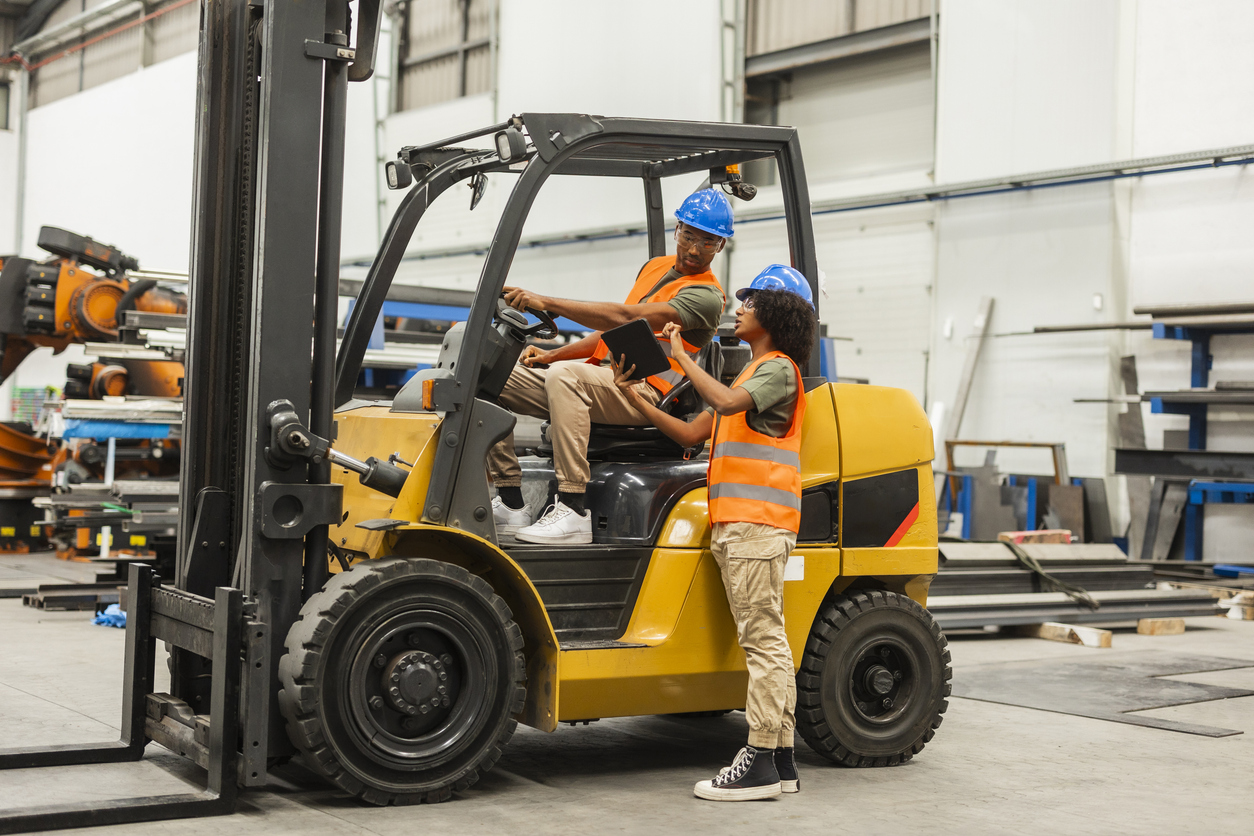
The pre-use check is the one time each day that someone walks around every truck looking for faults, and on paper it is also where those faults get lost. A clipboard sheet with a ticked "horn: OK" column proves little, and a cross in the "hydraulic leak" column only matters if someone reads it before the next shift starts.
Put a QR code on each truck, on the overhead guard or near the data plate where the operator sees it during the walk-around. Scanning it on a phone opens that truck's inspection checklist, so the record is tied to the right unit without anyone typing a fleet number. Using Asset QR Codes to Speed Up Maintenance Tasks covers how tagging works in practice.
A good checklist is short enough that operators finish it every time. Order it the way the operator moves around the truck.
With the truck off
Tires and wheels: cuts, chunks missing, loose wheel nuts, correct pressure on pneumatic tires
Forks: cracks, bends, wear at the heel, locking pins in place
Mast, chains and rollers: damage, uneven chain tension, missing pins
Fluid on the floor under the truck, and hydraulic hoses for leaks or chafing
Overhead guard, load backrest and data plate present and legible
Battery cables and connector undamaged, or LPG cylinder secured with the locating pin engaged
With the truck on
Horn, lights and travel alarm
Service brake and parking brake
Steering
Lift, lower and tilt through the full range, with no jerking or drift
Hour meter reading entered
Add a photo field for anything marked as failed. A picture of a leak or a split tire tells the technician what to bring before they walk over.
What matters most is what happens when an item fails. A safety-critical failure (brakes, steering, forks, mast, horn) should take the truck out of service immediately and raise a work order for whoever repairs trucks. A minor failure, such as a cracked mirror or a torn seat, can raise a lower-priority work order while the truck keeps working. Write that split into the checklist itself, so the operator does not have to make the judgment at the start of a shift.
Inspection requirements depend on where you operate. In the United States, OSHA's powered industrial truck standard requires trucks to be examined before being placed in service, at least daily, and after each shift where trucks run around the clock. Other countries set their own rules, which often add a periodic thorough examination by a competent person, and some specify how long inspection records must be kept. Check the rules for each of your sites. A digital record with a timestamp, the operator's name and the truck ID is far easier to produce in an audit than a binder of paper sheets, and Compliance & the Role of Maintenance Management Software explains why that record holds up.
Batteries, chargers and LPG are separate assets
Treating a forklift as one asset hides the components that fail on their own schedule and move between trucks.
Batteries
The battery is one of the most expensive components on an electric truck, and in multi-shift operations batteries are swapped, so one truck may run on three different batteries in a day. If the battery is recorded only as part of the truck, its history scatters across every truck it has visited.
Give each battery its own asset record and QR code, with its serial number, chemistry (flooded lead-acid, sealed lead-acid or lithium-ion), voltage, capacity and in-service date. Then schedule its maintenance separately from the truck's:
Flooded lead-acid: watering checks at the battery maker's interval (more often for batteries charged every shift, since each charge boils off water), equalizing charges, cleaning the top, and periodic specific gravity readings per cell.
Lithium-ion: far less routine care, but record the battery management system's fault codes and state-of-health figure at each service.
Every chemistry: cable and connector condition, case damage, and runtime or capacity as it declines.
A battery that runs a truck for six hours when it used to run eight is telling you something. Logging runtime at each service turns that into a trend line instead of an argument between shifts, and it lets you plan a replacement battery before one fails mid-shift.
Chargers
Chargers fail quietly. A charger that undercharges does not stop the warehouse, it shortens the life of every battery plugged into it. Record each charger as an asset, inspect its cables, plug and ventilation on a schedule, and note which batteries it normally serves. When several batteries on the same charger decline together, the charger is the first suspect.
LPG cylinders and fuel systems
Where propane cylinders come from a gas supplier on an exchange arrangement, each one stays on site only until it is empty, so tracking them one by one buys little. Two things are worth tracking: the cylinder storage cage, as a location with its own inspection, and the fuel system on each truck (hoses, regulator, mounting bracket, and the cylinder valve O-ring each time a cylinder is changed). Add "no smell of gas" to the pre-use check for LPG trucks. Rules for LPG storage also vary by location, so confirm local requirements for cage placement and the quantity you may store.
Owned and rented trucks in one list
A lift-truck fleet can mix trucks it owns with trucks on long-term lease or short-term hire for busy periods. The tempting move is to leave rentals out of the system because the rental company maintains them. That leaves a gap in exactly the place where you will later need evidence.
Keep rented trucks as assets with an ownership field (owned, leased or short-term rental), the contract reference, the supplier's contact and the off-hire date. They need the same daily inspection as owned trucks, since rules such as OSHA's place the pre-use examination on the employer whose operators drive the truck, not on the rental company that owns it. When an inspection fails, the work order goes to the supplier instead of your technician, and the record shows when you reported the fault and when it was fixed.
That history pays off at renewal. If a leased truck spent 40 hours out of service last quarter waiting for the supplier's engineer, you can bring that number to the next contract conversation. It also shows whether a unit you rent every busy period would cost less to own outright, which leads to the last piece.
Using cost per hour to decide repair or replace
Every work order that records parts, labor and outside service against a truck adds to a number that answers the hardest fleet question: is this truck still worth keeping?
Cost per operating hour is the cleanest measure. Take everything spent maintaining a truck over a period and divide it by the hours it ran in that period. Hours tell you more than age. A ten-year-old truck that has worked one shift can be in better shape than a five-year-old truck that worked three.
Here is how it plays out on a fleet of eight trucks. The figures are an index rather than a currency, with the fleet average set at 1.0, so the pattern is easy to see:
Truck 4 is seven years old with 16,500 hours on the meter.
Three years ago its maintenance cost per hour was 0.9. Last year it was 1.6, and this year it is tracking at 2.4.
Its downtime followed the same curve: 12 hours out of service three years ago, 70 hours last year, most of it waiting for a transmission part.
The work orders show a pattern rather than one bad repair: repeated hydraulic leaks, two transmission jobs and a drive motor.
One expensive repair is not a reason to scrap a truck. A rising curve with repeat failures in the same systems is. One test compares the cost of the next major repair with the truck's current value, and the 75% maintenance rule puts a threshold on that call. Add the cost of downtime, such as the rental truck brought in while truck 4 waited for parts, and the overtime on the dock, and the case for replacing truck 4 is clear.
The calculation is simple enough for a spreadsheet. The hard part is complete data: every repair logged against the right truck, including outside service and replacement rentals. That is why the daily inspection, the work order and the parts used need to live in the same system.
What to test before you choose
Run one real truck through any system before you commit to it. Confirm that:
A PM can trigger from an hour reading, with a calendar backstop
An operator can scan a truck and finish the checklist on a phone in a couple of minutes, including photos of failed items
A failed safety item leads straight to a work order and a truck marked out of service
Batteries and chargers can be tracked as their own assets
Rented units can be flagged and their repairs routed to an outside supplier
Parts and labor are recorded on each work order, so cost per hour can be reported per truck
Maintainly's fleet maintenance software is built for small and mid-sized fleets doing exactly this work, and the mobile CMMS app is where operators scan trucks and complete their checks.
Starting with the trucks you have
You do not need every field filled in on day one. A workable first week looks like this:
List every truck, owned or rented, with its make, model, serial number, power type and current hour reading.
Fix a QR code to each one and build the pre-use checklist, with a clear out-of-service rule for safety items.
Load the first service interval from each manual as a meter-based PM on every truck.
Add batteries and chargers once the trucks are running smoothly through the system.
After a month of daily checks, sort the trucks by failed inspections and work orders raised. Compare it with the order the team would have guessed. The sorted list is the first real data your fleet has given you about where its downtime comes from.
Further Reading

How can preventive maintenance software help large vehicle fleets?
The modern economy consists of millions of companies of all sizes. For many of these firms, operating a large vehicle fleet is a key part of how they get day-to-day tasks done. This often requires fleets of cars, vans, trucks, service equipment and heavy machinery.
Read more →
Mobile CMMS for Transportation: Why Maintenance Software Is Critical for Fleet & Infrastructure in 2026
Transportation operations in 2026 look very different from a decade ago. Fleets are larger, compliance standards are stricter, fuel and parts costs are unpredictable, and customer expectations are higher than ever. Whether you manage buses, delivery vans, municipal vehicles, rail assets, or airport ground equipment, one thing is clear: downtime is expensive.
Read more →
Maintenance Management Software for SMB's: Five Key Considerations
When considering a maintenance management system for smaller businesses, there are several important aspects to look for. We explore five important things for SMB's to look for when assessing maintenance management software.
Read more →
