Bus CMMS Alternatives: Choosing Maintenance Software for School Bus, Transit and Coach Fleets
 By Gui

A bus that fails its pre-trip inspection before the first run is a route without a vehicle. Someone has to pull a spare, and the spare is only useful if it is not itself overdue for service. Whether that decision takes two minutes or twenty depends on what the shop can see: the open defects on every bus, the parts on the shelf, and which units are coming due.
That is the job maintenance software does in a bus operation. People searching for bus CMMS alternatives are usually not choosing between two brands. They are choosing between kinds of tool: a transit enterprise asset management (EAM) suite, general fleet management software, a lightweight CMMS, or the spreadsheet they already run. Each fits a different size of operation, and the wrong one costs either money you did not need to spend or road calls you could have prevented.
This guide starts with what bus maintenance asks of software, because that is the yardstick. It then compares the four options against it and works through an example for a 40-bus school fleet.
What bus maintenance asks of software
School bus contractors, municipal transit systems, coach and charter operators, and the shuttle fleets run by airports, hotels, hospitals and campuses carry different passengers on different schedules. Their shops still deal with the same four problems.
Mileage and engine-hour intervals
Buses wear by distance and by running time, and the two do not move together. A rural school bus might cover long routes with little idling. A city transit bus can spend a ten-hour shift in stop-start traffic and log fewer miles than the school bus while putting far more hours on the engine, the transmission and the brakes. In cold climates, buses also idle to keep the cabin warm in winter, which adds engine hours and no distance at all.
One way to structure this is tiered services, often labelled A, B and C inspections, at increasing intervals. The schedule has to fire on whichever limit arrives first: miles (or kilometers), engine hours, or calendar days for a bus that sits as a spare. Software that only understands calendar dates will under-service the busiest buses and over-service the spares. Software that understands meters is only as good as the readings it receives, so how odometer and hour readings get into the system matters as much as the scheduling engine itself.
Daily pre-trip and post-trip defect reports
Drivers inspect their bus every day. They check lights, tires, mirrors, emergency exits, the horn, the stop arm on a school bus, and the brakes before leaving the yard. The inspection is quick. What happens to a defect after the driver writes it down is where operations fall apart. A paper form goes into a tray. The tray gets read when someone has time. The same cracked mirror gets reported three days running because nobody can tell whether it was already logged.
Good software turns a reported defect into a work order tied to the bus number, with a photo, and keeps it open until a mechanic either repairs it or signs it off as safe to run. Our fleet maintenance checklist lists daily walkaround items you can adapt into your own pre-trip form.
Rules on daily inspections differ a lot by location. Whether a written report is required, what it must cover, who has to sign it, and how long you keep it depends on your country, state or province. It often also depends on the type of service, because school transport, public transit and charter work are frequently regulated separately. Check with your local transport authority rather than relying on a template that came with a piece of software.
Brakes, doors and wheelchair lifts
These systems carry passenger safety directly, and they fail in ways a pass/fail checkbox does not capture.
Brakes. On air-braked buses, mechanics measure pushrod stroke and lining thickness. Recording the actual number each time shows a bus wearing faster than its siblings long before it fails an inspection.
Doors. Passenger doors open and close thousands of times a week. Interlocks, sensitive edges and the motors or air cylinders that drive them need regular testing, and a door fault on a route is a service failure even when nobody is hurt.
Wheelchair lifts and ramps. Lifts need cycle tests, checks for hydraulic leaks, and a test of the interlock that stops the bus moving while the lift is deployed. How fast a broken lift must be fixed depends on your jurisdiction and type of service. In the US, for example, federal accessibility rules require public transit operators to take a bus with an inoperative lift out of service before its next service day and repair the lift before it returns, with limited exceptions when no spare bus is available.
The software requirement here is an inspection checklist that records measurements and readings rather than a single box marked done, plus a per-bus history you can pull up when deciding whether a lift is worth another rebuild.
Parts for a mixed-age fleet
Buses stay in service for a long time, often well over a decade, and fleets buy them in batches. A 60-bus fleet can easily hold four model years across two chassis manufacturers, which means several different brake chambers, filters, door motors and lift pumps. Stocking every part for every bus ties up cash. Stocking too few means a bus waits on a delivery.
The tool needs to link each part to the buses it fits, track minimum stock levels, and show usage over time. That is how you see which parts for the oldest buses still move and which are dead stock waiting for a retirement.
The four kinds of tool
1. Transit EAM suites
Enterprise asset management suites built for public transit cover buses, rail, stations and facilities in one system. They handle multiple garages, warranty claims, fleet campaigns, and the detailed reporting that funding agencies ask large transit authorities for. They usually connect to finance, payroll and fuel systems.
The cost sits in implementation more than in licensing. A rollout takes months, often with outside consultants, and running the system afterwards needs someone in IT who owns it. The screens are built to serve planners, procurement and finance as well as the shop, so closing a work order can mean working past fields a mechanic has no use for, and a system the shop floor avoids produces reports built on incomplete data. If you run hundreds of buses across several depots and already have the IT staff, this is the category built for you, and our article on preventive maintenance software for large vehicle fleets covers what changes at that scale. For a district with 40 school buses and one shop foreman, an EAM suite is far more system than the problem.
2. General fleet management software
Fleet management platforms grew out of telematics: GPS tracking, fuel card data, driver behavior scoring and routing. Many include a maintenance module. Its strongest feature is usually automatic odometer and engine-hour readings pulled from the telematics unit on each vehicle, which solves the meter-reading problem described above.
The maintenance side tends to be secondary. These tools are designed around vans and trucks, so bus-specific inspections such as lift cycles or stop-arm checks need custom setup. Parts inventory is often thin. The depot itself, meaning the vehicle hoists, bus wash, air compressor, fuel island and building systems, usually sits outside the system entirely. If your main problem is knowing where buses are and how they are driven, start here and judge the maintenance module as a separate question.
3. A lightweight CMMS
A computerized maintenance management system treats each bus as an asset with its own meter readings, work history and parts list. A lightweight one is designed to be set up in days by the people who will use it, without a consultant.
For a bus shop, its strengths line up closely with the four needs above: preventive schedules that trigger on meters or dates, defect reports that arrive with photos and become work orders, inspection checklists, and parts inventory. Because a CMMS is not limited to vehicles, the hoists, wash bay and compressor sit on the same schedule as the buses. That matters more than it sounds. One failed vehicle hoist takes a two-bay shop to half capacity.
The trade-offs are real. A CMMS does not do GPS tracking, and unless your meter readings are imported, drivers or mechanics enter them. It also will not produce the specialized reports a large transit authority files with its funding body. This category fits school bus contractors, coach and charter operators, shuttle fleets, and smaller municipal systems: operations with one or a few depots and no IT staff to run an enterprise system.
4. Spreadsheets and paper
A spreadsheet works for a handful of buses and one mechanic who remembers everything. It stops working in predictable ways. Meter readings go stale because updating the sheet is nobody's job. Defect forms live in a binder that cannot alert anyone. You cannot see which bus is overdue without opening the file and doing arithmetic. And when the mechanic who kept the sheet leaves, much of the history leaves too, because the notes that explained it were in their head.
If that sounds familiar, our guide to moving from spreadsheets to a CMMS walks through the migration step by step.
The four side by side
Here is how each category handles the four needs from the first section, plus setup time and GPS tracking, which often settle the choice on their own.
Need | Transit EAM suite | Fleet management software | Lightweight CMMS | Spreadsheet |
|---|---|---|---|---|
Setup | Months, often with consultants | Days to weeks, plus telematics hardware | Days, by the people who use it | None |
Mileage and engine-hour PMs | Yes | Yes, with readings pulled from telematics | Yes, with readings entered or imported | Manual arithmetic on readings that go stale |
Pre-trip defects to work orders | Yes | Depends on the maintenance module | Yes, with photos | Paper forms in a tray |
Brake, door and lift inspections | Yes, once configured | Needs custom setup | Checklists with recorded readings | Pass or fail at best |
Parts for a mixed-age fleet | Yes | Often thin | Inventory with minimum stock levels | A separate list with no alerts |
Depot equipment | Yes, alongside other facilities | Usually outside the system | On the same schedule as the buses | Another sheet |
GPS tracking | Through integrations | Core feature | No | No |
Best fit | Hundreds of buses across several depots, with IT staff | Operations whose main problem is location and driving | School bus, coach, shuttle and smaller municipal fleets | A handful of buses and one mechanic |
Worked example: 40 school buses and one shop
Take a contractor running 40 school buses from one depot, with a shop foreman and two mechanics. The fleet spans three model generations, and six of the buses carry wheelchair lifts.
On a spreadsheet, the morning goes like this. Drivers drop paper pre-trip forms in a tray. The foreman reads them after the buses leave, finds that bus 23 reported a slow-deploying lift two days in a row, and has no way to tell whether a mechanic already looked at it. PM due dates are worked out from odometer readings last updated at the end of the previous week. A brake job on an older bus stalls because the shoes on the shelf fit the newer chassis.
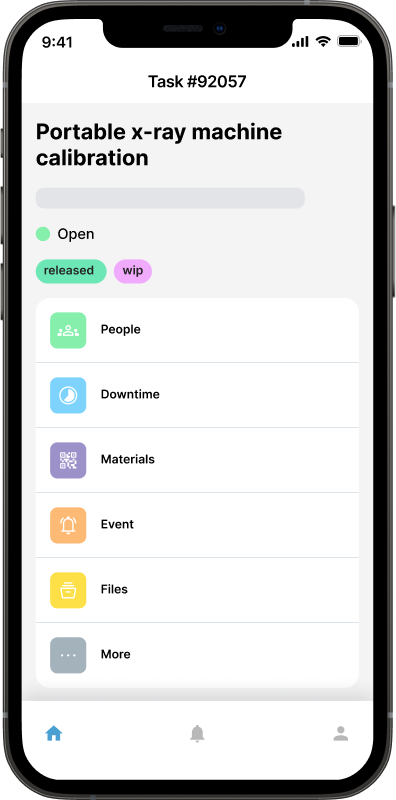
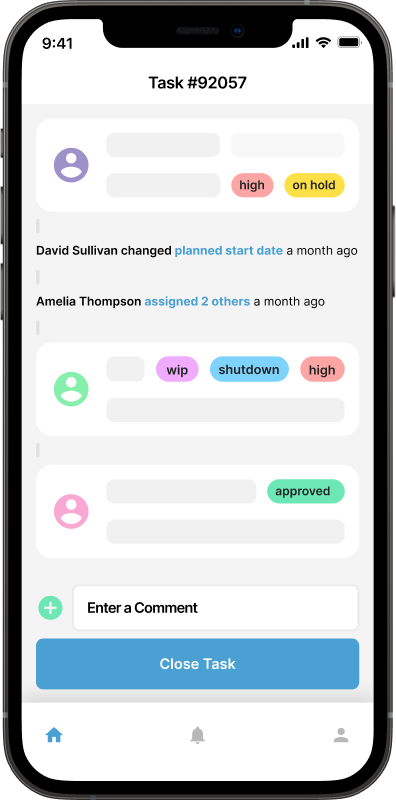
On a lightweight CMMS, each bus has a QR code inside the driver's compartment. The driver scans it, completes the pre-trip checklist on a phone, and any failed item becomes a work order with a photo attached. Using asset QR codes this way also stops defects being logged against the wrong bus number, an easy mistake when a driver writes the number on a paper form from memory. The foreman sees the bus 23 lift fault before the first route leaves, assigns it, and swaps in a spare that the system shows as current on its PMs.
Odometer readings are entered at the fuel island on every fill. The A service triggers at a set mileage or a set number of days, whichever comes first, using the intervals from the chassis manufacturer's schedule rather than a generic figure. Brake shoes and lift pump seals are linked to the model years they fit, so the parts screen shows the shoes for the older buses are down to one set before the brake job is scheduled, not after the bus is already on the hoist.
After a few months, the history starts answering questions the spreadsheet never could: which buses generate the most road calls, how long lifts stay in service between repairs, and whether the oldest generation now costs more in parts and labor than a replacement would. Those are the numbers in our list of fleet maintenance KPIs, and they are what makes a capital request to a school board or an owner persuasive.
Questions to ask before you choose
Whichever category you lean toward, these questions separate tools that suit bus work from tools that only claim to.
Meter triggers. Can one preventive task trigger on miles, engine hours and calendar days, whichever comes first?
Meter input. How do readings arrive: manual entry on a phone, a bulk import, or an integration with your telematics provider?
Driver access. Can drivers submit defects from a phone with no training, and how does the vendor's pricing model treat dozens of occasional users?
Measured inspections. Can a checklist item record a number, such as lining thickness or pushrod stroke, instead of only pass or fail?
Parts fitment. Can a part be linked to specific buses or model years?
Depot equipment. Can the hoists, wash bay and compressor be scheduled in the same system as the buses?
Your data on exit. Can you export the full work order and inspection history if you leave?
Then ask for a trial on your own data: five buses and one week of real pre-trip reports. A demo built on the vendor's sample fleet will not show you whether your drivers actually use it.
Where Maintainly fits
Maintainly is a lightweight CMMS, so it sits in the third category. Buses go in as assets with meter readings, preventive maintenance runs on meters or dates, defects arrive as requests with photos, and parts inventory and depot equipment live in the same system. It does not track vehicle location, so if you need live GPS, run it alongside a telematics provider. The fleet maintenance software page shows how it handles vehicles specifically, and the free plan lets you test it on a few buses before you commit the whole fleet.
If you are starting from paper, begin with the ten buses that cause the most road calls and the lifts on your accessible buses. That is where a missed defect costs the most, and it gives you a few weeks of data to judge the tool on before the rest of the fleet goes in.
Further Reading

What Industries Benefit From CMMS?
Businesses of all sizes rely on CMMS for accurate asset management. If you have a large inventory, production equipment or a fleet of vehicles then you can benefit from CMMS.
Read more →
Benefits of CMMS
CMMS will aid and inform technicians out in the field, as well as decision makers, on maintenance work that has been done, will be done soon, or is planned to be done in the future. Broadly speaking, the benefits of CMMS can be broken down into three categories: management; visibility; and cost control.
Read more →
CMMS Software & Traceable Physical Assets: Why They Should be Tracked
CMMS software is used for physical assets including equipment, vehicles and machinery in any number of different industries. The process of tracing the asset history involves capturing and recording relevant information at different stages, such as acquisition, maintenance, utilization, and disposal.
Read more →
Challenging Existing CMMS Processes: A Rigid Framework for Efficiency
A truly effective CMMS should actively challenge the status quo, guiding organizations toward best practices to streamline operations and improve efficiency.
Read more →