Why Teams are Switching from MaintainX to Maintainly
 By Gui

Quick answer: MaintainX has grown into a full enterprise asset management platform, with IoT integrations, OT data connectors, and AI-driven governance tools built for large industrial operations. That's genuinely useful if you run a multi-site enterprise, but for small and mid-sized maintenance teams, it often means paying enterprise prices for features you'll never touch. Maintainly focuses on Time-to-Value: getting your team from sign-up to your first completed work order in minutes, not weeks, at a fraction of the cost.
If you're currently on MaintainX and its pricing or complexity has started to feel out of step with what your team actually needs, you're not alone. We're seeing a steady stream of teams make the switch for one simple reason: they want a capable CMMS without paying for a heavyweight enterprise platform. Here's why teams are switching, and exactly how to move your data over without losing years of maintenance history.
Why Teams Are Making the Switch
1. Cost-Efficiency
The biggest driver is price. MaintainX's capabilities most maintenance teams consider essential (parts inventory, purchase orders, meter-based maintenance, and time-and-cost tracking) only unlock on its Premium plan. To get them, every paid seat on your account moves up to $65–$75 per user per month, as published on getmaintainx.com/pricing, September 2026.
Maintainly takes a modular approach instead: a low-cost core plan plus optional add-ons, so you pay only for what you actually use. Our own prices vary by country, so the pricing page carries the current figures in your own currency.
Plan / Add-on | MaintainX | Maintainly |
|---|---|---|
Free plan | Yes, heavily capped (2 work orders/month) | Yes, unlimited work orders & preventive maintenance |
Entry paid plan | $20/user/month | A low-cost core plan, below the MaintainX entry rate |
Top self-serve plan | $65–$75/user/month | Well below the MaintainX Premium rate |
Parts inventory & purchase orders | Premium only ($65+) | Optional add-on on any plan |
Meter-based maintenance | Premium only ($65+) | Included on every plan |
MaintainX figures as published on getmaintainx.com/pricing, September 2026.
For a 10-person team that needs work orders, preventive maintenance, and parts inventory, ten seats on MaintainX Premium comes to roughly $7,800 a year at the rates published on getmaintainx.com/pricing, September 2026. The same team on Maintainly's Small Business plan plus the Inventory add-on pays a fraction of that. A CMMS should pay for itself in reduced downtime and better-organized work, not become a line item you have to justify every renewal.
2. Radical Simplicity
If your technicians are spending more time navigating menus than fixing equipment, the software is working against you, not for you. Maintainly's interface is built technician-first, so the people actually doing the work can get in, log what happened, and get back to it.
Minimal training required: Maintainly is designed to be intuitive enough that 98% of customers never request formal training.
Modular growth: Turn on advanced features (inventory, timesheets, custom fields) only when your team is ready for them, instead of inheriting a bloated interface on day one.
3. Mobile Performance
Maintainly was built for the field, not the office. The mobile app is fast and leans on QR-code scanning, so technicians can pull up an asset's full history the moment they are standing in front of it. It does need a connection: there is no offline mode.
How to Migrate Your Data From MaintainX (Stress-Free)
The biggest fear in any software migration is losing years of maintenance history. The good news: moving from MaintainX to Maintainly is a well-worn process, and you keep ownership of your data throughout.
Step 1: Export From MaintainX
MaintainX lets you export nearly everything as CSV (Excel-compatible) files.
Navigate to Settings > General > Export Data.
Select the modules you need: Assets, Parts, Locations, Vendors, and Work Order history.
Choose your date range (usually "All Time" for a full migration).
Download the CSV files to your computer.
Step 2: Prepare Your Data for Maintainly

Maintainly provides structured Excel import templates so your data lands in the right place the first time.
Download the template: From the Maintainly Help section, search for asset import.
Use the clean-up window: Migration is the natural moment to fix what's been bugging you for years: merge duplicate "Pump #2" entries, and standardize naming conventions (turning "AHU-1" into "Air Handling Unit 01," for example) before the data goes anywhere near your new system.
Either populate the Maintainly import template, or send your file to Maintainly, via the chat window, and the Maintainly on-boarding team will take care of it for you. Best of all: it's free!
Step 3: Import With Support, Not Guesswork
This is where Maintainly differs most from a typical software switch. Rather than handing you a template and wishing you luck, our team reviews your completed import file with you before anything goes live, checking for hierarchy errors so sub-components are correctly linked to their parent assets, and flagging anything that looks off. You're never migrating alone, and nothing gets imported until it's right.
Is Switching the Right Call for You?
Maintainly tends to be the better fit if you recognize your team in this list:
You run a small or mid-sized maintenance operation, not a multi-plant enterprise.
You want predictable per-user pricing without a jump to the Premium tier just to unlock everyday features.
You'd rather pay only for the modules you actually use.
You want technicians productive on day one, without a drawn-out implementation project.
You want to keep ownership of your data and avoid getting locked into a contract.
If most of that sounds like your team, the case for switching is straightforward.
Frequently Asked Questions
Will I lose historical maintenance data when I switch? No. MaintainX exports your assets, parts, locations, vendors, and work order history as CSV files, and Maintainly's import templates (plus a hands-on review from our team) are built specifically to carry that history over intact.
How long does the migration actually take? Most teams export, clean, and import their core data (assets and parts) within a matter of days, not weeks, especially if you start with your most critical equipment rather than migrating everything at once.
Do I need to buy the most expensive Maintainly plan to migrate? No. You can start on the Free or Small Business plan and add the Inventory or Timesheets modules later, once you know what your team actually needs.
What if my data is messy right now? That's normal, and it's exactly what Step 2 is for. Cleaning up duplicate entries and inconsistent naming before you import is easier than doing it after, and our team can flag structural issues during the review in Step 3.
Ready to Make the Switch?
If MaintainX's pricing or complexity has outgrown what your team actually needs, book a demo and we'll show you exactly how your maintenance workflows would run on Maintainly, and walk you through migrating your data, step by step. Prefer to see it yourself first? Start a free 14-day trial: no credit card required.
Further Reading
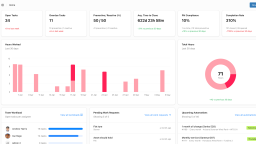
MaintainX Alternative: Why Maintainly Is the Better-Value CMMS for Simple Maintenance Needs
Maintainly is a lower-cost MaintainX alternative for teams that want straightforward maintenance management. This comparison covers what MaintainX charges, where its features sit, and how the two products differ on fit.
Read more →
Tips for Migrating Your Maintenance Tasks to Software
Switching software tools can feel like a lot. For many maintenance teams, the story starts the same way: a handful of spreadsheets, paperwork orders pinned to a board, and lots of walking around to check who’s doing what. It works until it doesn’t.
Read more →
Preventive Maintenance for Small Companies: How to Make CMMS Accessible
Most small business owners already wear multiple hats, and the idea of implementing a computerized maintenance management system (CMMS) can seem intimidating. Isn’t it expensive? Complicated? Time-consuming? It doesn’t have to be.
Read more →
Free CMMS Software: What You Actually Get
Computerized Maintenance Management System (CMMS) software plays a pivotal role in ensuring the seamless operation of assets and equipment. As organizations strive to enhance efficiency and reduce downtime, the quest for an effective CMMS solution becomes imperative. While there are numerous options available in the market, the allure of free CMMS maintenance software often piques the interest of budget-conscious businesses.
Read more →
