Service Record Software: How Digital Maintenance Histories Protect Your Equipment Investment
 By Gui
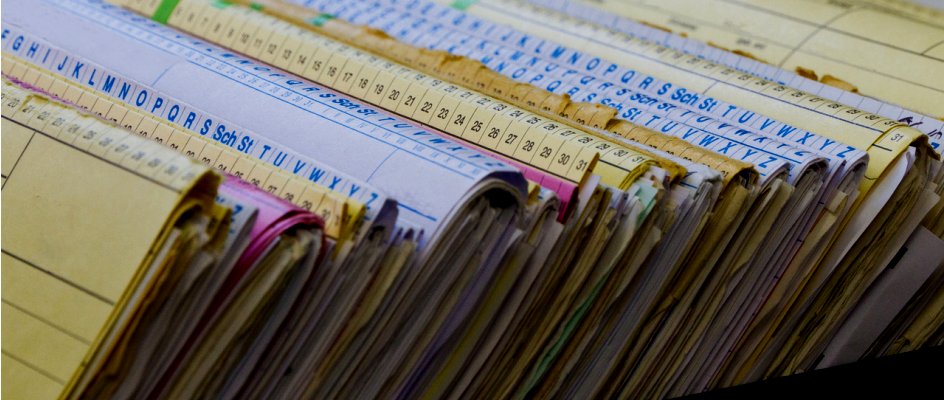
Every piece of equipment tells a story. When a compressor fails or a vehicle needs to be sold, the service record is what separates a team that knows what happened from one that is guessing. Service record software turns that history into a searchable, structured record, one that survives staff turnover, passes audits, and supports smarter decisions about when to repair and when to replace.
What Is Service Record Software?
Service record software is a system for logging, storing, and retrieving the complete maintenance history of an asset: every inspection, repair, part replacement, calibration, and technician note. Unlike spreadsheets or paper maintenance logs, dedicated software ties each record to a specific asset, timestamp, and technician, creating an unambiguous audit trail.
In practice, most teams use a maintenance management software platform that includes service record functionality as part of a broader work order and asset management system. This means service history is captured automatically as work orders are completed: no separate data entry required.
Why Paper-Based Service Logs Fall Short
Most maintenance teams start with paper logs or shared spreadsheets. These work when the operation is small, but they develop serious cracks as the team grows:
Records get lost. A logbook stored with a machine disappears when equipment moves between sites or when a technician leaves.
Entries are inconsistent. Without a standard format, one technician writes "replaced filter" while another writes "PM complete", leaving no one sure what was actually done.
Searching is slow. Finding the last time a specific machine was serviced means flipping through pages rather than running a search.
Compliance is difficult to prove. Regulatory bodies expect organized, timestamped records. A manila folder does not meet that standard.
What Good Service Records Should Capture
A useful service record goes beyond "oil changed on Tuesday." For each maintenance event, the record should capture:
The asset identifier (ID, serial number, or QR code)
Date, time, and technician who performed the work
Type of service (preventive, corrective, inspection, calibration)
Parts used, including part numbers and quantities
Checklist items completed and their outcomes
Photos or files attached (such as inspection sheets or calibration certificates)
Meter readings at time of service (hours, mileage, cycles)
Notes on condition, observations, or follow-up actions required
When captured consistently, this information becomes a powerful diagnostic tool. You can identify which assets require frequent repairs, spot patterns that suggest underlying issues, and make data-driven decisions about replacement timing.
Why Service Histories Matter for Compliance and Audits
In regulated industries (food production, healthcare, aviation, utilities) equipment service records are not optional. Regulators require documented proof that assets were maintained according to schedule and that any faults were addressed. The specific requirements vary by industry and region, but the common thread is that records must be organized, dated, and retrievable on demand.
Compliance and maintenance management software work together because digital records make audit preparation straightforward. When an inspector asks for the service history on a specific piece of equipment, you filter by asset and export the records, instead of spending hours searching through binders.
Beyond external audits, accurate service histories also protect your business if a failure leads to an insurance claim or legal dispute. A clear record showing maintenance was performed correctly and on schedule is invaluable in those situations.
Service Records and Asset Resale Value
A well-documented service history increases the resale value of equipment, just as it does with vehicles. A buyer evaluating a used generator, forklift, or CNC machine wants evidence that it was maintained properly. Without records, buyers discount the price to account for uncertainty. With complete records, you can command a higher price and close deals faster because the buyer has confidence in what they are purchasing.
Service records also matter for warranty claims. Manufacturer warranties often require proof that equipment was serviced according to the recommended schedule. If a component fails and you cannot demonstrate that you followed the service intervals, the warranty may be void. Software that automatically generates a service log for every completed work order makes this documentation effortless.
How CMMS Platforms Serve as Service Record Software
A computerized maintenance management system (CMMS) is the most practical service record solution for equipment-heavy teams. Unlike standalone logbooks or spreadsheets, a CMMS generates service records as a byproduct of normal work order management, so the record-keeping happens without adding extra work for technicians.
Here is how the workflow typically looks in practice:
A technician receives a work order (scheduled PM or reactive repair)
They complete the checklist on their phone or tablet, logging parts used and adding notes
The work order closes, and the system appends the completed record to the asset history
The asset profile now shows a complete, chronological service log, accessible to anyone with permissions
Platforms like Maintainly also support asset tracking with QR codes, so technicians can scan a code on the machine to immediately pull up its service history, open a new work order, or check upcoming preventive maintenance tasks, without searching by name or serial number.
Key Features to Look For in Service Record Software
Not all CMMS platforms handle service records with the same depth. When evaluating options, prioritize these capabilities:
Per-asset history view. Every asset should have a dedicated timeline showing all maintenance events in chronological order.
File and photo attachments. The ability to attach inspection sheets, calibration certificates, or photos of completed work to individual records.
Parts tracking. Records should capture which parts were used and in what quantities, so you can calculate the true maintenance cost per asset.
Technician attribution. Each record should show who performed the work, important for accountability and for identifying training needs.
Export and reporting. You should be able to export service records for a specific asset or date range for audits, insurance requests, or resale documentation.
Mobile access. Technicians working in the field or on the shop floor need to log work and access records from their phone, not from a desktop in the office.
Making the Switch from Paper or Spreadsheets
The biggest barrier to adopting service record software is migrating existing history. For most teams, the practical approach is to start fresh with software and keep paper records as an archive for older history. Migrating maintenance tasks to software is easier when you prioritize your highest-value assets first: critical equipment where downtime is most costly or compliance requirements are strictest.
Once technicians get used to closing work orders in the app instead of filling out paper forms, the service record builds automatically. Within a few months, you have a searchable history that would have taken years to accumulate in a logbook.
The Bottom Line
Service record software is not a nice-to-have: it is how professional maintenance operations protect their equipment investments, meet compliance obligations, and make better decisions. Whether you run a fleet of delivery vehicles, a food production facility, or a multi-site property portfolio, a complete digital service history gives you the visibility to act before failures happen and the documentation to prove it when it matters.
For most teams, the right path is a CMMS that builds the service record automatically as part of the normal work order workflow, turning every completed job into a permanent, searchable record.
Further Reading

How Agricultural Maintenance Software Helps Farmers Cut Costs, Increase Uptime, and Streamline Workflows
Before sunrise, a farmer walks the field to check the irrigation lines. The soil is ready, the weather looks right, and the plan for the day is clear.
Read more →
What Does CMMS Stand For? Acronym and Meaning
What the CMMS acronym stands for, what the software records once a team has one, and where the category stops.
Read more →
Compliance & the Role of Maintenance Management Software
Maintenance management software, often referred to as Computerized Maintenance Management Software (CMMS), facilitates compliance by managing equipment, scheduling inspections, automating documentation, and providing data analytics.
Read more →
Tips for Migrating Your Maintenance Tasks to Software
Switching software tools can feel like a lot. For many maintenance teams, the story starts the same way: a handful of spreadsheets, paperwork orders pinned to a board, and lots of walking around to check who’s doing what. It works until it doesn’t.
Read more →
CMMS Software & Traceable Physical Assets: Why They Should be Tracked
CMMS software is used for physical assets including equipment, vehicles and machinery in any number of different industries. The process of tracing the asset history involves capturing and recording relevant information at different stages, such as acquisition, maintenance, utilization, and disposal.
Read more →
